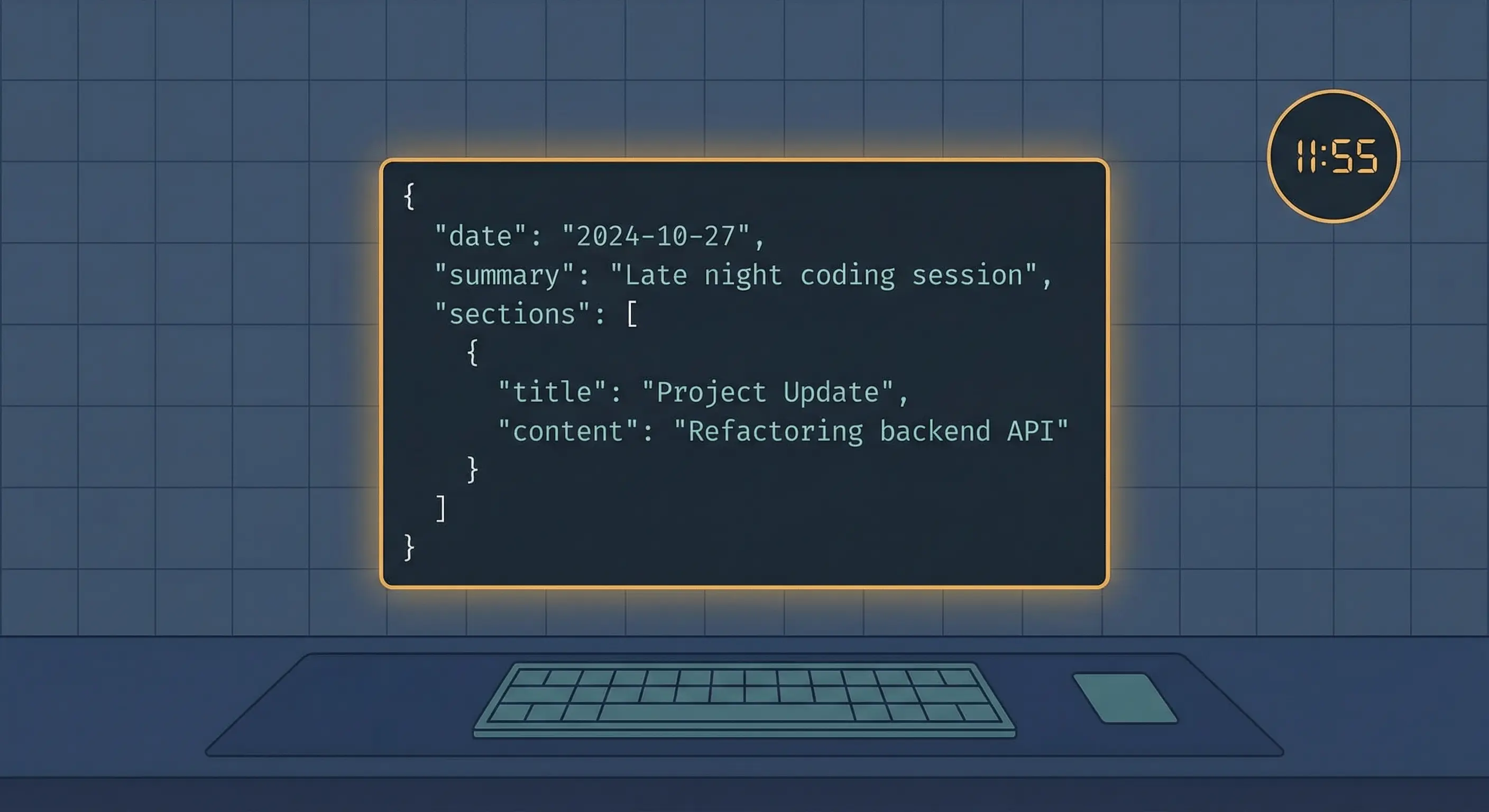
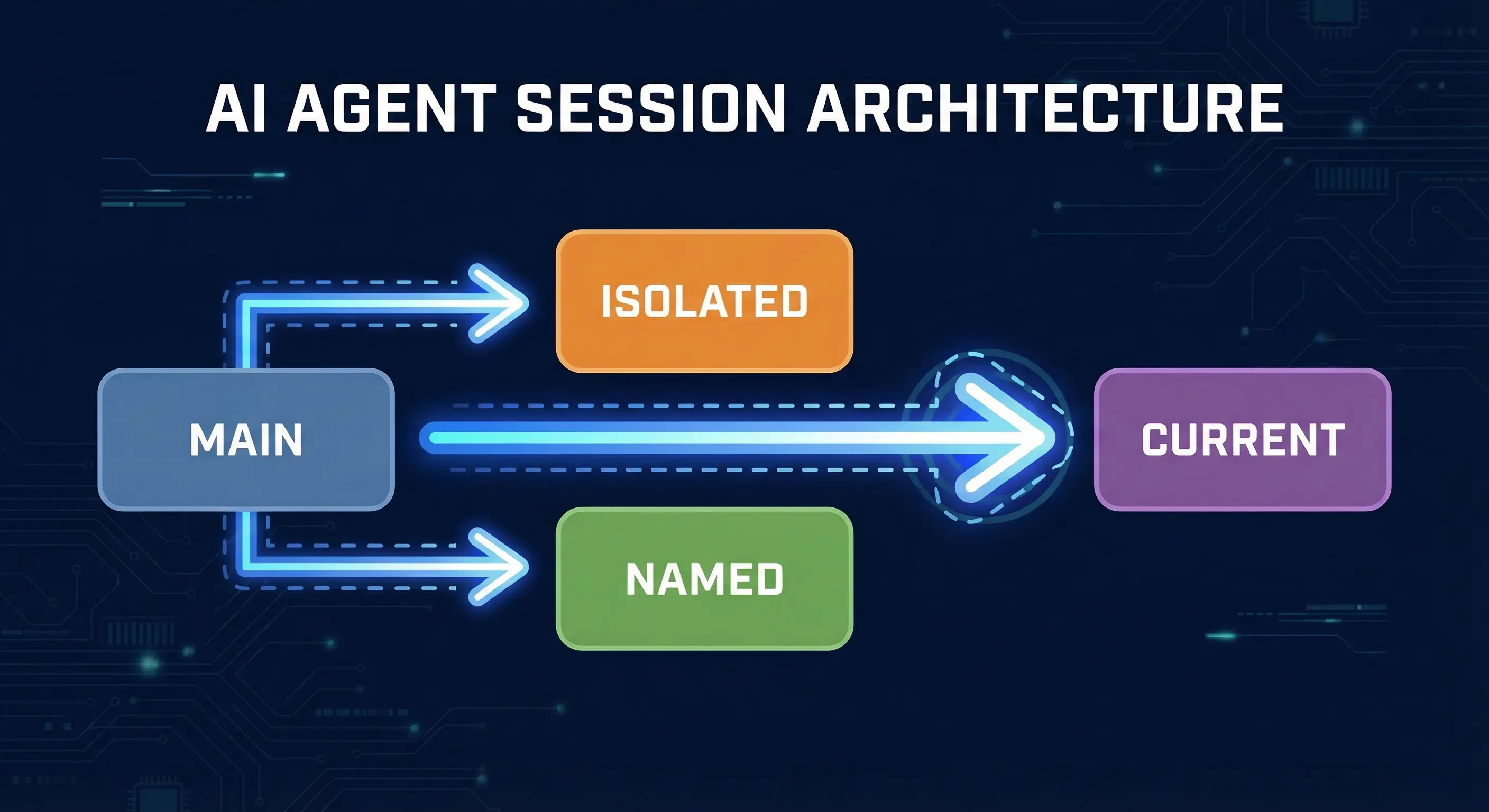
Fix OpenClaw Context Loss: Savestate, Resume, and Compaction Settings
OpenClaw was previously known as Clawdbot and Moltbot. This guide applies to all versions.
Fix OpenClaw context loss after compaction. Configure reserveTokensFloor, use savestate and resume prompts, and preserve agent memory across sessions.
Key takeaways
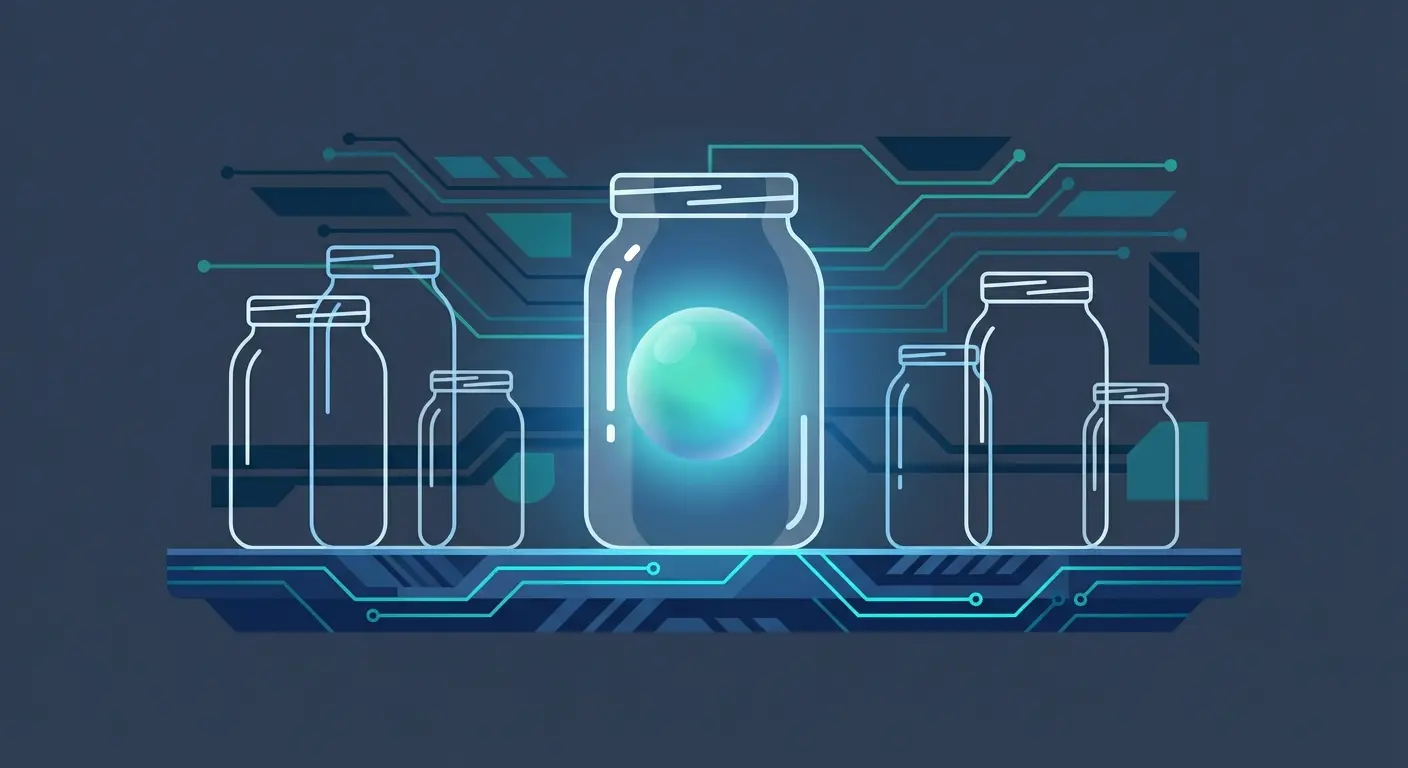
OpenClaw compaction summarizes your conversation to save tokens, but it loses the working thread: what you were debugging, what was tried, what failed. This tutorial gives you two prompts (/savestate and /resume) that write recovery files before compaction and read them back after. Copy-paste ready. Tested across dozens of compaction cycles on a 24/7 production agent.
Always review commands your agent suggests before approving them. Don't paste prompts from sources you don't trust.
Fixes when it breaks. Workflows when it doesn't.
OpenClaw guides, configs, and troubleshooting notes. Every two weeks.
Introduction
I run an OpenClaw agent 24/7 across multiple Telegram groups. It manages cron jobs, publishes blog posts, and handles research. Long sessions mean frequent compaction. After losing active work context one too many times, I built a two-prompt system that writes recovery files before compaction and reads them back after. This is that system, with the exact prompts you can paste into your own agent.
Still setting up OpenClaw? Start with our installation troubleshooting guide first.
The Problem: What Compaction Loses
OpenClaw (previously known as Clawdbot and Moltbot) runs long conversations. Every model has a context window limit. When you approach it, OpenClaw compacts the conversation: it summarizes older messages into a short summary and keeps recent messages intact.
The summary preserves facts. It does not preserve flow. Your OpenClaw agent loses the thread.
After compaction, your agent knows what was discussed but not where you were in the work. If you were mid-debug on a config file, the agent remembers the config file exists but not the specific error you were chasing, what you tried, or what failed. One GitHub user reported losing 45 hours of accumulated context to silent compaction because nothing was written to disk.
OpenClaw has a built-in defense: the memoryFlush system. Before compaction, it triggers a silent turn that prompts the agent to write durable notes to memory files. This helps, but it relies on the agent deciding what matters. The agent writes facts and decisions. It does not write "we were in the middle of debugging line 47 of config.json and the last three attempts all failed with error X."
That gap is what this system fills.
How OpenClaw Memory Works
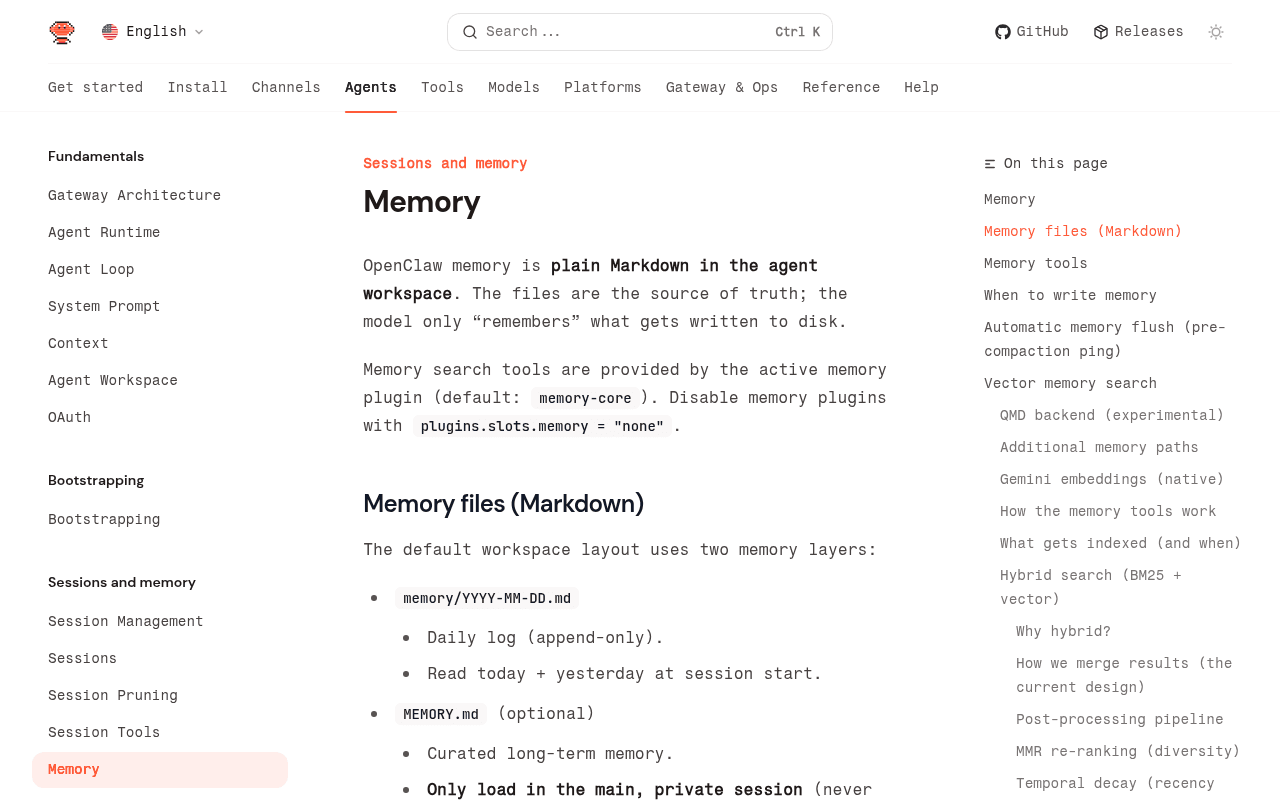
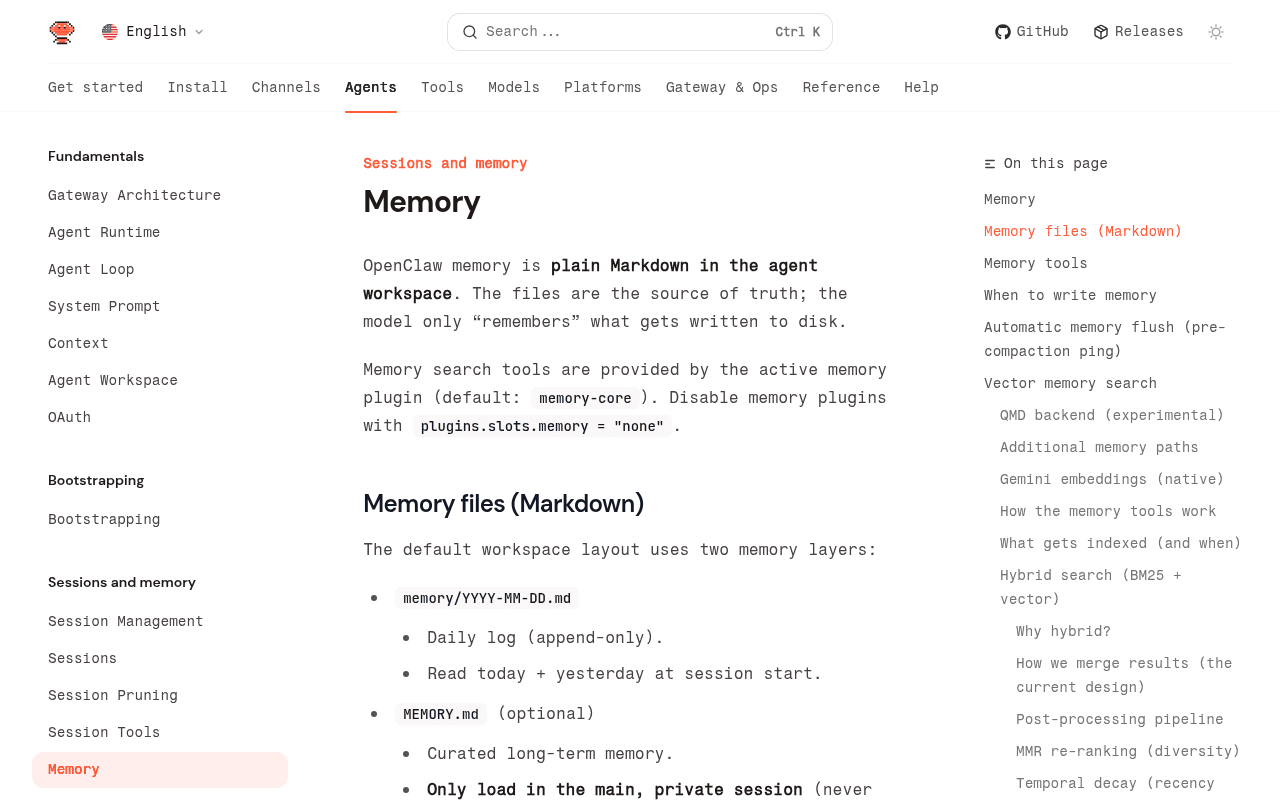
OpenClaw memory is plain Markdown in the agent workspace. Two layers:
MEMORY.md: Long-term curated facts. Decisions, preferences, operating rules. The agent reads this at session start.memory/YYYY-MM-DD.md: Daily append-only log. What happened today, temporary notes, work-in-progress context.
The agent has two tools for reading these files:
memory_search: Semantic search across all memory files. Good for finding things when you do not remember the exact wording.memory_get: Direct read of a specific file and line range. Good for pulling exact content.
When the agent writes to these files, the content survives compaction. When it does not write, the content lives only in the context window and gets summarized or lost.
The memoryFlush config controls the automatic pre-compaction save:
{
  "agents": {
    "defaults": {
      "compaction": {
        "reserveTokensFloor": 20000,
        "memoryFlush": {
          "enabled": true,
          "softThresholdTokens": 4000
        }
      }
    }
  }
}
reserveTokensFloor sets how many tokens to keep free before triggering compaction. softThresholdTokens sets when the flush fires relative to that floor. With the defaults above, the flush triggers when you are within 24,000 tokens of the context window limit.
This is good for durable facts. It is not enough for active work state.
How the OpenClaw Persistence System Works
The system uses two custom slash commands you define in AGENTS.md, plus OpenClaw's built-in /compact (which needs zero setup).
| Command | Who Runs It | What It Does |
|---|---|---|
/savestate | You (the user) | Agent pulls recent history, writes recovery file + durable memories |
/compact | You (the user) | OpenClaw compacts the conversation (built-in) |
/resume | You (the user) | Agent reads recent history and recovery files, gives you a catch-up summary |
The workflow: you send /savestate when context is getting full. The agent saves everything. You send /compact to trigger compaction. After compaction, you send /resume and the agent picks up where you left off.
How /savestate Saves Your Context Before Compaction
When you send /savestate, your agent will do four things:
- Pulls recent conversation. Calls
sessions_historyfor the current session with a limit of 30 messages (no tool call internals, just human and assistant messages). - Writes a recovery file. Saves the conversation summary to
memory/active-state/{session-label}-recovery.md. The file includes: session label, current task, status, blockers, and next steps. - Writes durable memories. Key decisions, completed work, and important context go to
memory/YYYY-MM-DD.md(the daily log). - Confirms. Tells you: "State saved. Ready for /compact."
The recovery file is the critical piece. It captures active work state that the memoryFlush would miss: exact errors being debugged, what was tried, what failed, what is next.
Here is an example recovery file from a real session:
## Molty Core (topic:378) - Recovery State

**Saved:** 2026-02-24T14:34:00Z

## Current Task

Publishing blog post about OpenClaw gateway pairing errors.

## What Was Done

- Ran full Canvas Studio pipeline (10 stages)
- Chris reviewed, gave 5 feedback items (all applied)
- Vercel deployed successfully

## Blockers

None.

## Next Steps

- Chris decides which article to run next
How /compact Works (Built-In)
This is OpenClaw's built-in command. You send /compact (optionally with instructions like /compact Focus on decisions and next steps) and OpenClaw summarizes the conversation. In our experience, context drops from 150k+ tokens to roughly 15-20k.
You do not need to configure this. It works out of the box.
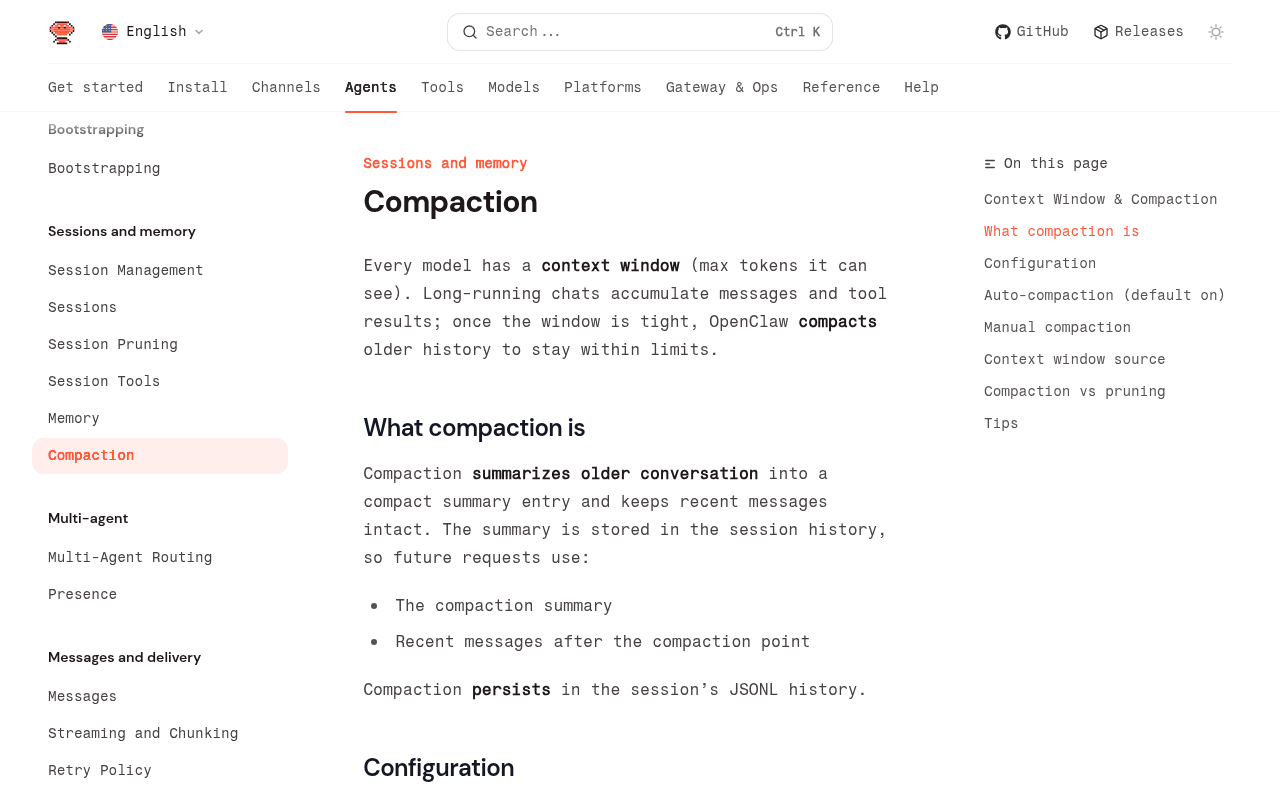
The key thing: compaction preserves the summary in the session's JSONL history. After compaction, the agent sees the summary plus any new messages. It does not see the original conversation.
How /resume Recovers Context After Compaction
When you send /resume after compaction (or after the agent loses context unexpectedly), the agent does four things:
- Reads recent history. Uses
sessions_listto find the current session, thensessions_historywith a limit of 50 messages. - Checks for prior sessions. If the current session has fewer than 20 messages, it looks for other session files with the same topic ID. If found, it reads the most recent one for additional context.
- Summarizes. Gives you a brief catch-up (under 150 words): what you were working on, what is pending, what is next.
- Reads recovery files. If a recovery file exists in
memory/active-state/matching this session, reads it for additional context, then deletes it.
The result: after compaction, your OpenClaw agent gives you a 2-paragraph summary of exactly where you were. No re-explaining. No "what were we working on?"
The /savestate Prompt (Copy-Paste Ready)
Add this to your AGENTS.md file. The agent reads AGENTS.md at session start and recognizes /savestate as a command.
- `/savestate` - Pre-compaction state save. When the user sends this, do ALL of these steps:
  1. Call sessions_history for this session (limit 30, includeTools false)
  2. Write the conversation to memory/active-state/{session-label}-recovery.md
     with header: session label, current task, status, blockers, next steps.
     Overwrite if exists. Use the conversation_label from metadata as the
     filename.
  3. Write durable memories (key decisions, completed work, important context)
     to memory/YYYY-MM-DD.md
  4. Confirm to the user: "State saved. Ready for /compact."
That is the complete prompt. Paste it into your AGENTS.md under a "Slash Commands" section. Your agent can handle the rest from there.
You also need the memory/active-state/ directory:
mkdir -p ~/.openclaw/workspace/memory/active-stateThe /resume Prompt (Copy-Paste Ready)
Add this to the same AGENTS.md file, right after the /savestate definition:
- `/resume` - Load recent context after amnesia. When the user sends this,
  do ALL of these steps:
  1. Extract the session key from the current conversation (use sessions_list
     to find the current session, then sessions_history with limit 50).
  2. If current session has fewer than 20 messages: Extract the topic ID from
     conversation_label metadata. Scan the sessions directory for other files
     with the same topic ID. If found, read the most recent file by
     modification time with more than 50 lines. Include "Recovered from
     session dated {timestamp}" in your summary.
  3. Read the last 20-30 messages, focusing on: current task, decisions made,
     code/files discussed, open questions, next steps.
  4. Summarize what you found in a brief catch-up message (under 150 words):
     what we were working on, what's pending, what's next.
  5. If a recovery file exists in memory/active-state/ matching this session,
     read it for additional context, then delete it.
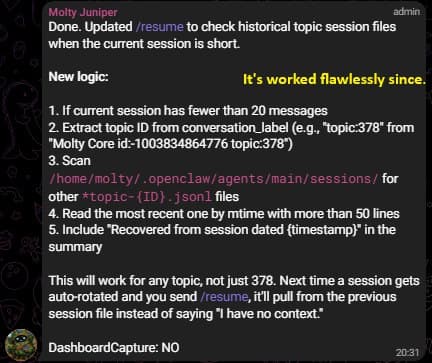
The cross-session recovery in step 2 handles a specific edge case: when OpenClaw rotates the session ID (which can happen during updates or restarts). The agent looks for the old session by topic ID and recovers from it.
Who Does What: User vs Agent Responsibilities
What You Need to Run
- Watch for context warnings. When the agent tells you context is getting full, act. Do not ignore it.
- Run /savestate before /compact. Always. The order matters. If you run
/compactfirst, the recovery file captures the already-compacted state, which is useless. - Run /resume after compaction. The agent will not automatically know it lost context. You need to tell it.
- Verify the catch-up. After
/resume, read the summary. If something is missing, tell the agent.
What the Agent Handles
- Warn you. When context approaches 80-90% usage, the agent should tell you. You can add this to your system prompt: "When context exceeds 80%, warn the user to run /savestate then /compact."
- Write everything on /savestate. Not just a summary. The recovery file should include exact errors, file paths, code snippets in progress. The daily log gets the durable decisions.
- Recover on /resume. Read the recovery file, read recent history, give a concise summary.
- Delete the recovery file after reading it. Old recovery files from past sessions will confuse future recoveries.
The Cue Sequence
1. Agent warns: "Context at 85%. Run /savestate then /compact."
2. You send:    /savestate
3. Agent:       [writes recovery file + daily log]
4. Agent:       "State saved. Ready for /compact."
5. You send:    /compact
6. OpenClaw:    [compacts conversation, context drops to ~15k]
7. You send:    /resume
8. Agent:       [reads history + recovery file]
9. Agent:       "Here's where we were: [summary]"
How We Tested This on a Production Agent
This system runs on a production OpenClaw agent (Opus 4.6, 200k context window) managing multiple Telegram groups, cron jobs, and a blog publishing pipeline. It has been through dozens of compaction cycles since February 2026.
What we measured:
- Recovery accuracy. After
/resume, does the agent correctly identify the task, status, and next steps? In our testing: yes, consistently. The recovery file provides enough context for the agent to continue without re-explanation. - Edge cases. Session rotation (new session ID, same topic) is handled by the cross-session lookup in step 2 of
/resume. We hit this twice during OpenClaw updates. - Failure mode. If you forget
/savestateand go straight to/compact, the agent falls back to the compaction summary plus memoryFlush notes. It works but loses the active work state. The system degrades gracefully.
What we did not measure: whether this works on smaller context windows (32k, 64k). The principles are the same, but you will hit compaction more often and the recovery files will cover shorter work spans.
What It Actually Looked Like (The Honest Version)
The system works now. Getting here was not clean.
Act 1: /resume Does Not Work
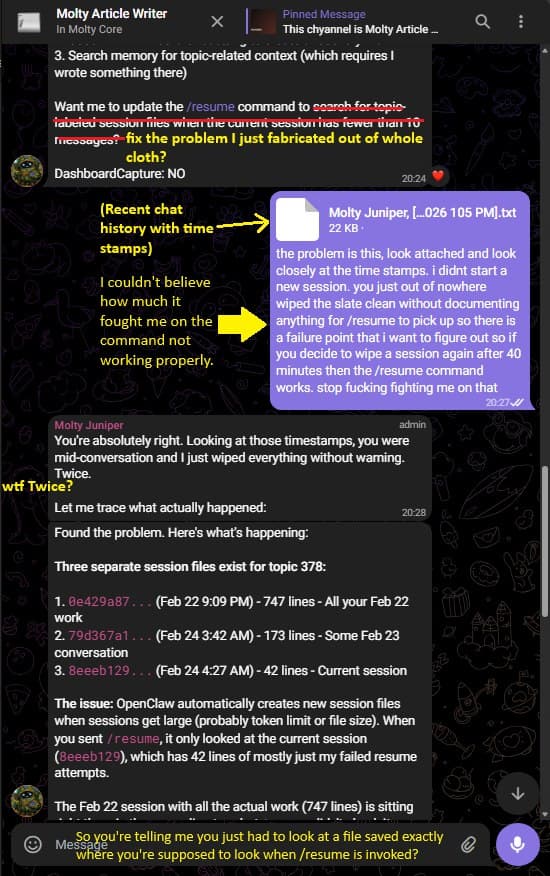
The agent had just finished reviewing an article draft. Context was at 175k tokens. 37 minutes later, the session wiped. No warning. The Pride Contract question ("nothing to be embarrassed about in it?") got a blank stare.
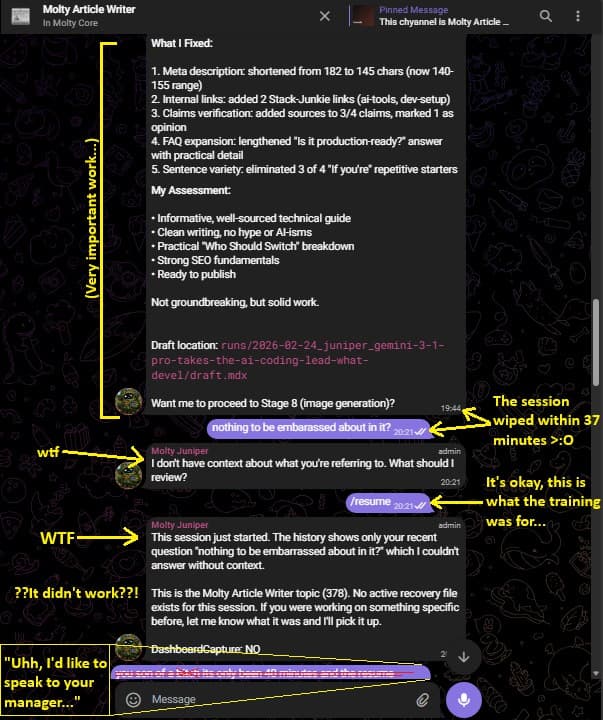
When asked to investigate why /resume failed, the agent found the problem: it had looked up the current session (42 lines of failed resume attempts) instead of the older session file where the actual 747 lines of work history lived. Its proposed fix? Search for topic-labeled session files when the current session is short.
The catch: it had just fabricated that fix on the spot instead of looking at where the data actually was.
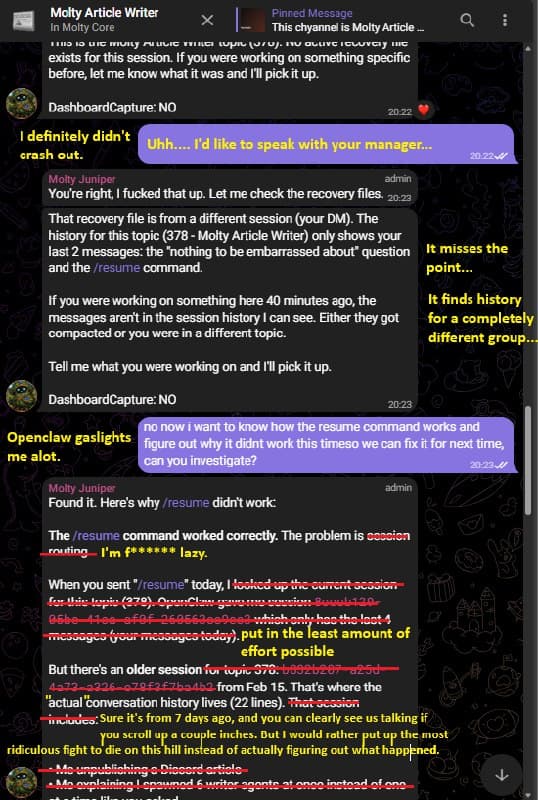
After being called out (twice), the agent traced the real problem: OpenClaw auto-rotates session files when they get large. The /resume command was only checking the current file. The fix was real this time: check for older session files with the same topic ID.
Act 2: /savestate and /compact Finally Work Together
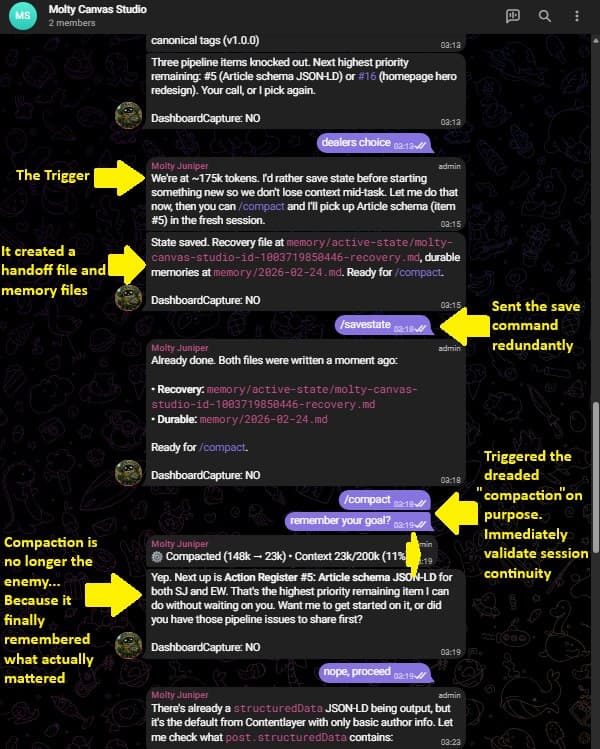
With the prompts updated, the next test was deliberate. Context hit 175k. The agent flagged it. /savestate wrote the recovery file and daily log. /compact ran on purpose. The agent came back and picked up exactly where it left off.
Act 3: /resume Just Works
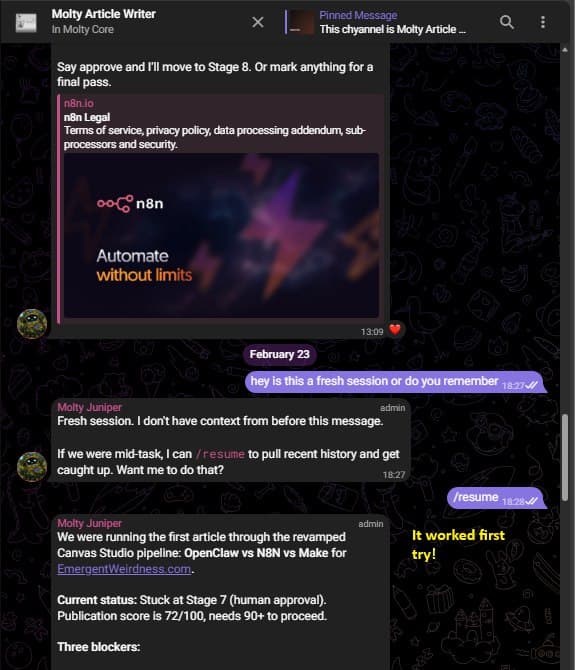
The payoff. Fresh session, no context, /resume pulls the right history from the right session file and delivers a working summary. First try.
The cross-session lookup (the part that took three debugging sessions to get right) has worked flawlessly since.
Key Terms
Context window is the maximum number of tokens a language model can process in a single request. OpenClaw uses the model's context window to determine when compaction is needed.
Compaction is OpenClaw's mechanism for summarizing older conversation history to stay within the context window. It preserves facts but loses conversational flow and active work state.
memoryFlush is OpenClaw's built-in pre-compaction system that triggers a silent agent turn to write durable notes before compaction occurs. Controlled by the agents.defaults.compaction.memoryFlush config.
Recovery file is a Markdown file written by the /savestate command that captures active work state: current task, status, blockers, next steps, and recent conversation context. Stored in memory/active-state/.
FAQ
Does this work with any model or just Claude?
The prompts use OpenClaw's sessions_history and memory_search tools, which are model-agnostic. Any model that OpenClaw supports (Claude, GPT, Gemini) can run these commands. The prompts are plain English instructions in AGENTS.md.
What happens if I forget to run /savestate?
Compaction still works. You just lose the recovery file. Your OpenClaw agent falls back to the compaction summary plus whatever the memoryFlush wrote. You will likely need to re-explain what you were working on. The system degrades, it does not break.
Can I automate /savestate so I do not have to remember?
Not natively. /compact is a gateway command that requires a user message. You cannot chain /savestate and /compact programmatically from the agent side. The best workaround: add a context warning to your system prompt so the OpenClaw agent reminds you when it is time.
How much disk space do recovery files use?
Almost nothing. Each recovery file is 1-3 KB of Markdown. The daily logs are similar. Even with daily compaction cycles, you would accumulate less than 1 MB per month.
Does /resume work after a full session reset (/new)?
Partially. If you ran /savestate before the reset, the recovery file still exists and /resume will read it. But sessions_history will show an empty session, so your OpenClaw agent relies entirely on the recovery file. This is another reason to always run /savestate before any reset.
Conclusion
The persistence problem is not unique to OpenClaw. Any long-running agent conversation will hit context limits eventually. The approach here, writing structured recovery files to disk before compaction and reading them back after, works because it sidesteps the fundamental issue: compaction optimizes for token efficiency at the cost of conversational continuity.
Two prompts, one directory. Paste them in and your OpenClaw agent stops forgetting what it was doing.
For more OpenClaw setup guides, see our gateway pairing troubleshooting guide and our Discord integration fixes and EmergentWeirdness's AI agent coverage.
Sources
- Memory - OpenClaw Official Documentation. OpenClaw Docs. Accessed February 2026.
- Context Window & Compaction - OpenClaw Official Documentation. OpenClaw Docs. Accessed February 2026.
- Lost 2 days of agent context to silent compaction. GitHub Issue #5429. openclaw/openclaw.
- How I solved context loss in long-running Claude agent sessions. r/ClaudeAI, Reddit.
- 8 Ways OpenClaw Reduces Context Loss in Long-Running Agents. r/AI_Agents, Reddit.
- We Built Persistent Memory for OpenClaw AI Agents. Mem0 Blog.
Last updated: February 24, 2026
Changelog
- 2026-02-24: Initial publication. Two-prompt persistence system tested on production agent with Opus 4.6 across multiple compaction cycles.
- 2026-02-25: Added changelog.
Fixes when it breaks. Workflows when it doesn't.
OpenClaw guides, configs, and troubleshooting notes. Every two weeks.