OpenClaw Starter Kit: 30 Templates for Faster Setup
OpenClaw was previously known as Clawdbot and Moltbot. This guide applies to all versions.
OpenClaw Starter Kit templates reviewed: 30 production-ready config files including SOUL.md, AGENTS.md, skill configs, and cron playbooks for \$29.
Key takeaways
- The OpenClaw Starter Kit ships 30 files: SOUL.md personality templates, AGENTS.md rule sets, skill configs, cron job playbooks, workflow templates, and a setup guide
- The biggest time savings come from AGENTS.md and SOUL.md. Most users spend hours getting these right from scratch before the agent behaves predictably
- Free alternatives exist for individual files (particularly SOUL.md templates), but nothing free bundles cron playbooks and workflow templates in one package
- The kit costs $29 on Gumroad and is sold by stackster3, the same team behind this site
- This is an honest walkthrough, not a pitch: the kit is worth the time savings if you're starting fresh or rebuilding; it isn't worth it if you already have working configs
Always review commands your agent suggests before approving them. Don't paste prompts from sources you don't trust.
Fixes when it breaks. Workflows when it doesn't.
OpenClaw guides, configs, and troubleshooting notes. Every two weeks.
What the OpenClaw Starter Kit includes (all 30 files)
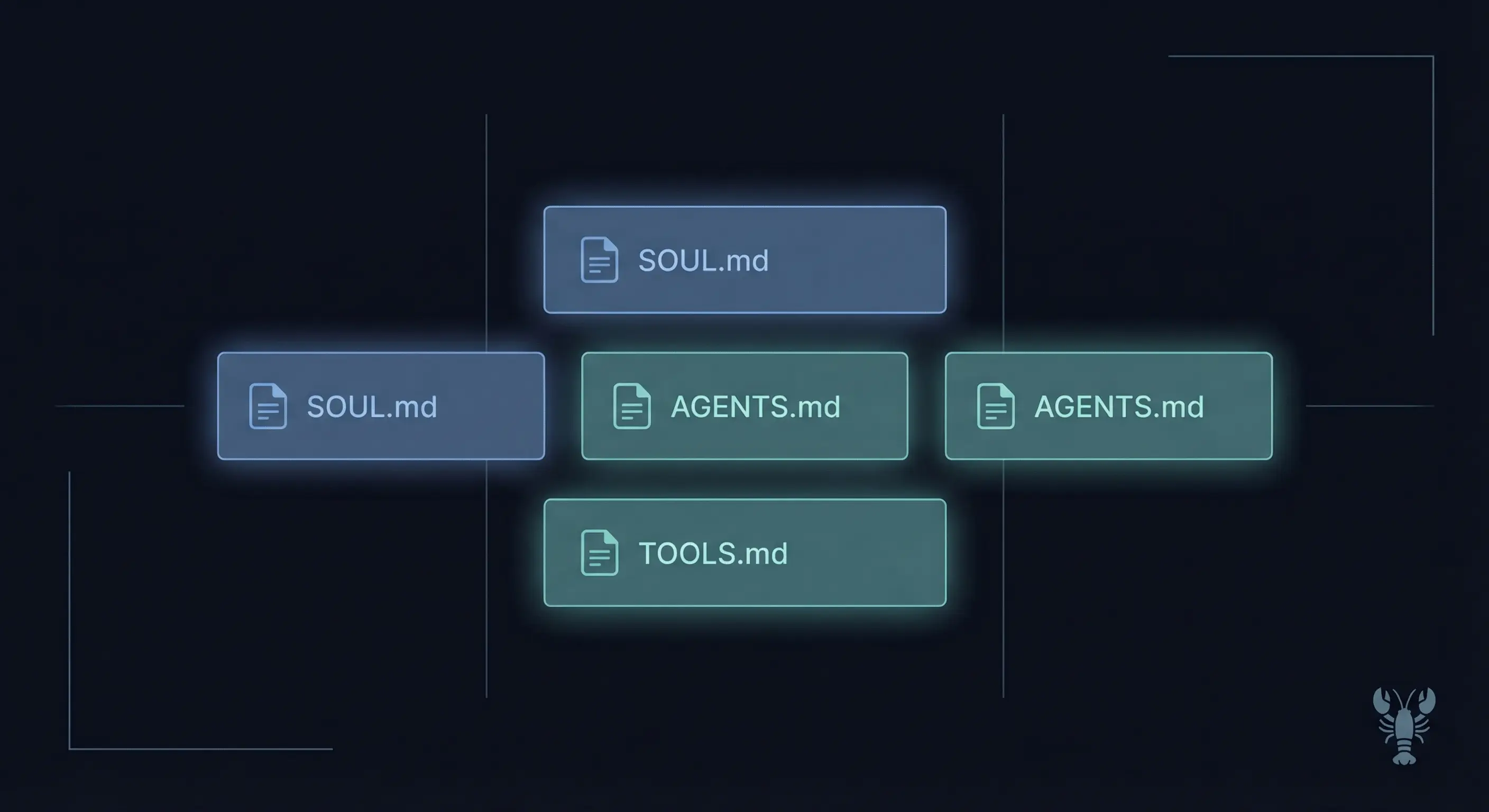
The OpenClaw (previously known as Clawdbot and Moltbot) Starter Kit is a bundle of 30 pre-built workspace files that skip the blank-page problem most new users hit. Instead of writing AGENTS.md and SOUL.md from scratch, you're starting from tested templates that already handle common agent behaviors. The kit ships 30 files across six categories:
SOUL.md templates: Multiple variants covering different agent personalities. Each file maps to a different use case. You pick the one that fits your workflow, drop it in your workspace, and adjust the details.
AGENTS.md rule sets: Pre-written operating rules covering scope discipline, safety guardrails, and pipeline behavior. These define how the agent handles ambiguity, side effects, and long-running tasks.
Production-ready skill configs: Configuration files for common skills. These aren't the skills themselves (skills are installed via ClawHub); they're the config layers that tell the agent how to use them.
Cron job playbooks: Documented automation schedules with context on what runs when and why. Covers common patterns like daily briefings, content pipelines, and maintenance tasks.
Workflow templates: Reusable templates for common multi-step tasks. These are workspace files, not code.
Step-by-step setup guide: Walks through placing files, testing the agent, and adjusting configs for your environment.
The total is 30 files. Nothing extra, nothing missing from this list.
Who the OpenClaw Starter Kit is for
The kit fits three situations:
Fresh installs: You installed OpenClaw, ran it once, got a generic response, and don't want to spend a week tuning workspace files. The kit gets you to a working setup in an afternoon.
Rebuilds: you've been running OpenClaw for a while but your workspace has grown inconsistent. You want a clean, tested baseline to start from.
Users who know what they want: If you've read the AGENTS.md guide and the workspace files explainer and still want to skip writing these from scratch, the kit delivers pre-written versions of everything those guides describe.
The kit isn't useful if you already have tight, working configs. It isn't useful if you're building a highly specialized agent from scratch and need configs tailored to your exact domain from day one.
What problem the kit solves: manual OpenClaw configuration is slow
OpenClaw auto-creates stub workspace files when you run it for the first time: AGENTS.md, SOUL.md, TOOLS.md, IDENTITY.md, USER.md, and HEARTBEAT.md. These files exist in the workspace, but they're mostly blank or contain generic placeholder content.
The real configuration work starts after that. AGENTS.md needs scope rules, approval gates, and pipeline discipline before the agent is safe to run on consequential tasks. SOUL.md needs enough personality definition to stop the agent from giving you canned, stiff responses. TOOLS.md needs your actual environment details: SSH aliases, API keys, service ports, device names.
The community workaround has been to copy from Reddit threads, GitHub repos, or other users' published configs. That works, but it's fragmented. You end up assembling files from five different sources, each with different conventions and assumptions.
The kit consolidates that into one download.
SOUL.md templates in the kit and what each variant handles
SOUL.md defines the agent's tone, personality, and interaction style. it's the file that makes the difference between a generic AI response and an agent that actually sounds like a useful partner.
The kit includes multiple SOUL.md templates. Each is written for a different use case. The variants cover different working styles and communication preferences. You review the options, pick the closest match, and edit the specifics.
A common mistake is writing SOUL.md once and assuming it's done. In practice, SOUL.md needs to match how you actually communicate, not how you think you communicate. The kit templates are a shortcut to that second or third iteration, starting from configs that have been tested in production rather than written from scratch.
For context on what SOUL.md controls, the OpenClaw workspace files guide covers how SOUL.md, AGENTS.md, USER.md, and TOOLS.md interact.
AGENTS.md rule sets and why scope discipline matters
AGENTS.md is the most important file in an OpenClaw workspace. It defines how the agent behaves: what it does without asking, what it asks approval for, how it handles ambiguity, and what it never does on its own.
An AGENTS.md written poorly creates an agent that's either too cautious (asks about everything) or too permissive (acts on incomplete information). Getting the balance right takes iteration.
The kit ships AGENTS.md rule sets that cover:
- Scope discipline: Rules about staying aligned to the current request and not expanding work without being asked
- Side effects and approval: Which actions require explicit confirmation before running
- Pipeline discipline: Rules about never skipping phases in defined workflows
- Evidence before diagnosis: Rules about basing conclusions on actual output rather than assumptions
These aren't abstract guidelines. they're the specific rules we run on this site's production agent, tuned down to a version that doesn't require knowing our full internal setup.
For a detailed breakdown of what goes in AGENTS.md and why each section matters, see the AGENTS.md guide.
Skill configs and cron playbooks: what's included
Skill configs: The kit includes skill configuration files per the listed bundle contents. These are the settings layers that control how specific skills behave: things like which commands require confirmation, which outputs get logged, and how the skill integrates with the rest of the workspace. They work alongside skills installed via ClawHub.
Cron playbooks: The OpenClaw cron system runs recurring tasks on a schedule. The playbooks in the kit document several common automation patterns with context on timing, dependencies, and what to watch for when they fail. The playbooks are written documentation, not just config files. Each one explains the pattern so you can adapt it rather than just copy it.
This is the part of the kit with the least competition. The free SOUL.md collections and GitHub workspace configs don't include cron automation documentation. If you're setting up any kind of automated pipeline in OpenClaw, the playbooks are the highest-value part of the download.
How to deploy the OpenClaw Starter Kit files
The kit ships with a setup guide, but the general process is:
- Download the kit from Gumroad
- Back up your existing workspace files if you've a running setup
- Review the SOUL.md variants and pick one to start with
- Copy the AGENTS.md rule set to your workspace root
- Place the skill configs in the appropriate skill directories
- Add the cron playbooks to your cron config following the included instructions
- Run OpenClaw and test with a few tasks before relying on it for anything consequential
The setup guide in the kit is more specific than this list. It walks through each file with placement instructions and the most common first-run adjustments.
You don't need to use all 30 files. Start with SOUL.md and AGENTS.md. Add the skill configs for skills you're actively using. Add cron playbooks when you're ready to set up automation.
Key terms
SOUL.md: The workspace file that defines the agent's personality, tone, and interaction style. Loaded into the agent's system prompt on every run. Controls how the agent communicates rather than what it's allowed to do.
AGENTS.md: The workspace file that defines operating rules: scope, approval gates, side effect handling, and pipeline discipline. The most consequential config file in an OpenClaw setup.
Cron playbook: A documented automation schedule that describes what runs, when, why, and what to watch for. In the kit's context, a playbook is a written guide plus the config to go with it.
Skill config: A configuration layer for a specific OpenClaw skill. Not the skill code itself: the settings that control how the skill behaves in your specific workspace.
FAQ
Does the OpenClaw Starter Kit include the skills themselves, or just configs?
The kit includes skill config files, not the skills themselves. Skills are installed separately through ClawHub or manually. The skill configs control how those skills behave once installed: things like approval rules, output handling, and workspace integration. If you don't have a skill installed, its config file does nothing until you install it.
Is the OpenClaw Starter Kit worth $29 if free SOUL.md templates exist on GitHub?
It depends on what you need. If you only need SOUL.md templates, free options like the awesome-openclaw-agents repository on GitHub cover that at no cost. The kit's value is the full bundle: SOUL.md plus AGENTS.md plus skill configs plus cron playbooks plus a setup guide, all consistent with each other. If you're assembling those from five different community sources, the kit saves the assembly time. If you already have working configs, it isn't worth it.
What is the difference between SOUL.md and AGENTS.md in the OpenClaw Starter Kit?
SOUL.md handles personality and tone: how the agent sounds and communicates. AGENTS.md handles behavior and rules: what the agent does, what it asks about, and what it refuses. In the kit, SOUL.md variants let you pick an interaction style, while the AGENTS.md rule set gives the agent consistent, safe operating behavior. Both files are in the kit because they work together: a well-tuned SOUL.md with a poorly-written AGENTS.md still produces an unpredictable agent.
Can I use the OpenClaw Starter Kit files with an existing OpenClaw setup?
Yes, but back up your existing files first. The kit's AGENTS.md and SOUL.md will overwrite whatever you've if you place them in the same directory. The setup guide covers how to merge the kit's rules into an existing AGENTS.md rather than replacing it entirely, which is the better approach if you've spent time on your current config.
Do the OpenClaw Starter Kit files stay current when OpenClaw updates?
The files aren't tied to a specific OpenClaw version and don't auto-update. The workspace file format (SOUL.md, AGENTS.md, etc.) is stable and hasn't had breaking changes. If OpenClaw changes how it reads workspace files, the kit files would need updating. Gumroad buyers get file updates when we publish them.
Evidence & Methodology
This article is based on the verified contents of the OpenClaw Starter Kit and public documentation. Product claims reflect the actual 30-file bundle as sold.
Sources used:
- OpenClaw personal assistant setup docs: workspace file auto-creation and default behavior
- OpenClaw configuration docs: official setup reference
- GitHub: mergisi/awesome-openclaw-agents: free SOUL.md template collection
- Reddit r/openclaw setup thread: supplementary community color on AGENTS.md and SOUL.md setup friction; not a primary source
Related resources
- OpenClaw AGENTS.md: Build Rules Your Agent Won't Forget
- OpenClaw Workspace Files Explained: AGENTS.md, SOUL.md, USER.md, and TOOLS.md
- OpenClaw Cron Jobs: Automation Templates, Schedules, and Debug Steps
- OpenClaw Skills and ClawHub: Install, Update, and Build Custom Skills
Changelog
| Date | Change |
|---|---|
| 2026-03-23 | Initial publication |
Fixes when it breaks. Workflows when it doesn't.
OpenClaw guides, configs, and troubleshooting notes. Every two weeks.