OpenClaw Subagent Orchestration: Parallel Tasks Guide
OpenClaw was previously known as Clawdbot and Moltbot. This guide applies to all versions.
OpenClaw subagent orchestration lets you run parallel tasks, manage long-running work, and steer agents mid-run from any chat channel you use.
Key takeaways
- Spawn subagents with
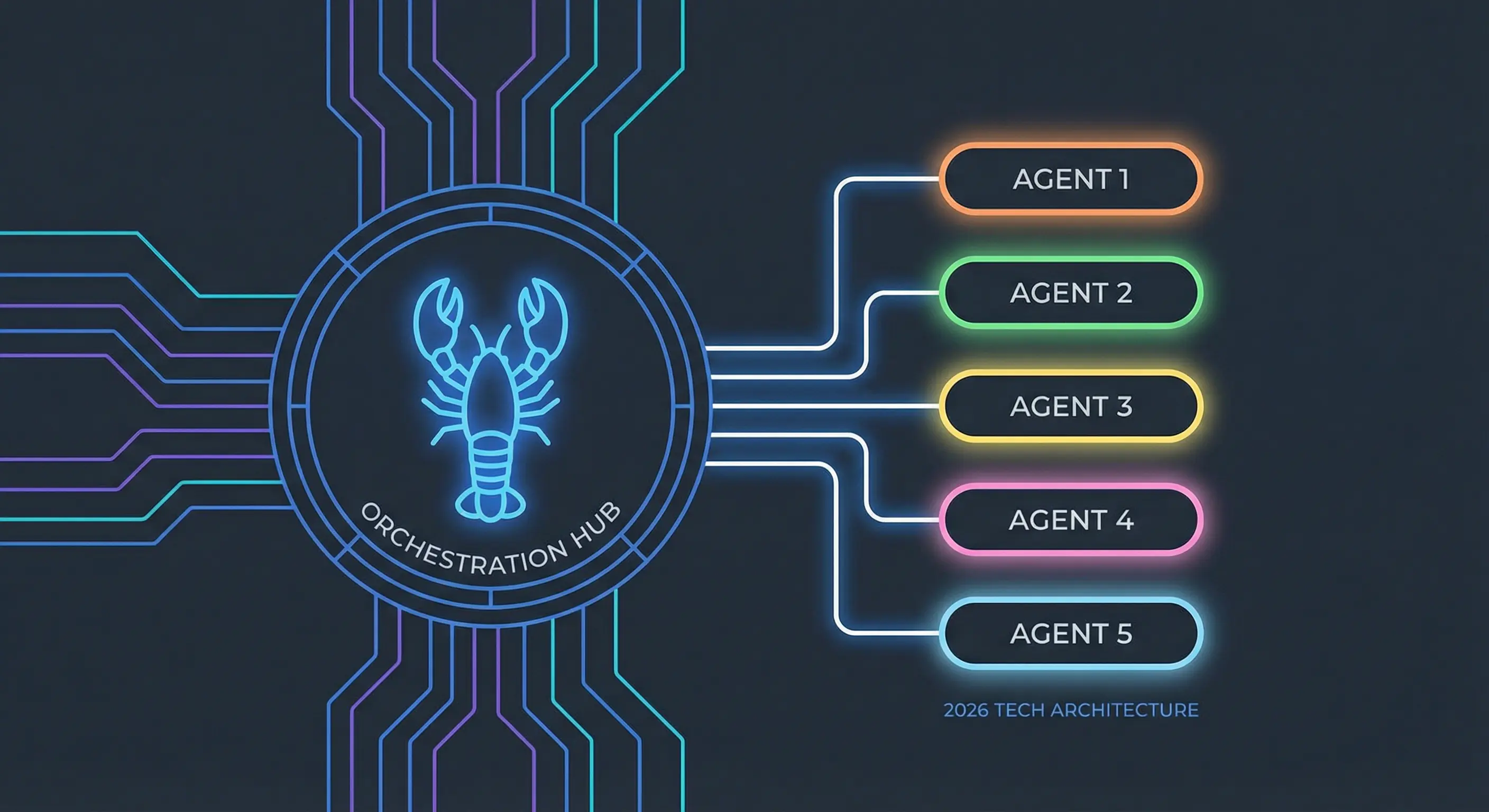
sessions_spawnor/subagents spawn; both are non-blocking and return a run ID immediately - OpenClaw enforces a depth limit of 2: depth-1 agents can spawn depth-2 workers, but depth-2 workers cannot call
sessions_spawnat all - Each agent session can have at most 5 active children by default; this limit may be configurable via
maxChildrenPerAgentin your OpenClaw config (check your version's docs) - Run subagents on a cheaper model to cut costs while keeping your main agent on a higher-quality model via
agents.defaults.subagents.model
Always review commands your agent suggests before approving them. Don't paste prompts from sources you don't trust.
Fixes when it breaks. Workflows when it doesn't.
OpenClaw guides, configs, and troubleshooting notes. Every two weeks.
How does OpenClaw's subagent system work?
Each subagent runs in its own isolated session with a key formatted as agent:<agentId>:subagent:<uuid>. When you spawn one, OpenClaw returns a run ID immediately and the spawn is non-blocking. Your main session keeps running. When the subagent finishes, it announces its result back to your chat channel automatically, per the OpenClaw subagents docs.
The completion announcement includes the result text, a status flag (completed / failed / timed out / unknown), and compact token stats. The main agent then rewrites this in normal assistant voice rather than forwarding raw metadata.
You interact with subagents in two ways: through the sessions_spawn tool (programmatic, from within an agent run) or through /subagents slash commands (from your chat interface directly).
How to spawn a subagent in OpenClaw
The sessions_spawn tool accepts these key parameters:
task(required): the full instructions for the subagentlabel: a human-readable name shown in/subagents listmodel: override the model for this specific runthinking: override thinking levelrunTimeoutSeconds: kill the subagent after N seconds if it is still runningcleanup:deleteorkeepthe session after completion (default:keep)sandbox:inheritorrequiresandboxing
From the chat interface, the slash command form is:
/subagents spawn <agentId> <task> [--model <model>] [--thinking <level>]
Both forms are non-blocking. You get a run ID back right away. The subagent works in the background while you continue with other things.
How to run multiple OpenClaw subagents at the same time
Call sessions_spawn multiple times before waiting for any results. OpenClaw schedules each one independently. Your main session does not block between spawns.
sessions_spawn(task="Research competitor pricing for X", label="pricing-research")
sessions_spawn(task="Draft section on installation steps", label="install-draft")
sessions_spawn(task="Generate three headline variations", label="headlines")
All three start in parallel. Results announce back to chat as each one finishes.
The default limit is 5 active children per agent session. In production (for example, generating 5 blog articles at the same time), you hit that ceiling quickly. If you need more than 5 concurrent workers, stage your spawns in batches.
A real production pattern: spawn 5 article-writing agents at the start of a session, let them run while you do other work, and receive each completion as it finishes. The total wall-clock time is roughly equal to the slowest single article rather than 5x longer.
How to monitor OpenClaw subagents while they run
Three commands cover monitoring:
/subagents list
Shows all active and recent subagents for the current session, with status and run IDs.
/subagents info <id>
Shows run metadata: status, timestamps, session ID, transcript path, and cleanup setting.
/subagents log <id> [limit] [tools]
Shows the actual output from the subagent up to that point. Useful for checking progress on a long-running task without waiting for completion.
Use info first to confirm the subagent is still running. Use log when you need to see what it has actually done.
How to steer an OpenClaw subagent mid-run
Two commands let you inject input into a running subagent:
/subagents steer <id> <message>
Injects a user-role message into the subagent's context. Use this when you want to redirect, correct, or add information the subagent needs. The subagent treats it as a new message from the user.
/subagents send <id> <message>
Also sends a message, but steer is the preferred command for mid-run corrections. Use send for informational context that does not need to change the subagent's current behavior.
Steering works best for clear redirects: "stop the current approach and use method B instead" or "the API endpoint changed, use /v2/data." Vague steering messages produce vague results.
How to stop a subagent in OpenClaw
/subagents kill <id>
Stops a specific subagent and cascades to any children it spawned.
/stop
Typed in the main chat, this stops all depth-1 subagents and cascades down to their depth-2 children. Use this when you want to cancel everything and start fresh.
Both commands cascade automatically. You do not need to manually kill each child agent.
What are the subagent depth limits in OpenClaw?
OpenClaw enforces a strict two-level nesting limit, as documented in the subagents reference:
- Depth 0: your main agent session. can spawn depth-1 agents
- Depth 1: can spawn depth-2 workers, can be killed/steered from main chat
- Depth 2: leaf workers only.
sessions_spawnis always denied, cannot spawn further children
This prevents runaway fan-out. Without depth limits, a poorly-written task could spawn hundreds of agents recursively until resources run out. The two-level cap keeps orchestration manageable.
When depth-2 agents try to call sessions_spawn, the tool returns a denied error. They do not silently ignore it.
How to manage costs when using OpenClaw subagents
Each subagent runs in its own context with its own token usage. Running 5 subagents at once means 5x the token cost compared to running the same work sequentially in one session.
Cost management options:
Set a default subagent model:
agents.defaults.subagents.model: "anthropic/claude-haiku-3-5"
This runs all subagents on a cheaper model while your main session stays on a stronger one.
Override per-agent:
agents.list[].subagents.model: "google/gemini-flash-2-0"
Override per-spawn:
sessions_spawn(task="...", model="anthropic/claude-haiku-3-5")
Set a timeout:
sessions_spawn(task="...", runTimeoutSeconds=300)
A 5-minute timeout prevents a stuck subagent from running indefinitely and burning tokens on a looping failure.
For a batch of 5 blog drafts using Claude Haiku instead of Claude Opus, the cost difference is significant. According to Anthropic's pricing page, Claude Haiku 4.5 costs $1/MTok input and $5/MTok output, while Claude Opus 4.6 costs $5/MTok input and $25/MTok output , roughly a 5:1 ratio. Five parallel Haiku runs would cost roughly the same token budget as one Opus run. For tasks where quality matters less than throughput, cheaper models make parallel work affordable.
Key terms
sessions_spawn: The tool used by agents to programmatically start a subagent run. Accepts task, label, model, thinking, runTimeoutSeconds, cleanup, and sandbox parameters. Non-blocking; returns a run ID immediately.
Depth: OpenClaw's nesting level for agents. Depth 0 is the main session. Depth 1 agents can spawn depth-2 workers. Depth 2 is the maximum; sessions_spawn is denied at this level.
Steering: Injecting a user-role message into a running subagent's context using /subagents steer. The subagent treats the injected message as a new instruction mid-run.
maxChildrenPerAgent: Configuration key that may control how many active subagents a single agent session can have at once. The default is 5. Check your version's documentation for configurability.
FAQ
How do you spawn a subagent in OpenClaw from the chat interface?
Use /subagents spawn <agentId> <task> in any supported chat channel. OpenClaw returns a run ID immediately and the subagent starts in the background. When it finishes, the result is announced back to your chat. You can optionally pass --model and --thinking to override defaults for that specific run.
Can OpenClaw subagents spawn their own subagents?
Depth-1 subagents can spawn depth-2 workers. Depth-2 workers cannot spawn further children. sessions_spawn is always denied at depth 2. This hard limit prevents runaway fan-out where a single task spawns hundreds of agents recursively. The main agent at depth 0 is the only session that can spawn without restriction.
How do you check on a running OpenClaw subagent?
Use /subagents list to see all active agents for your current session, /subagents info <id> for run metadata including status and timestamps, and /subagents log <id> to see the actual output the subagent has produced so far. These commands work from your normal chat interface without switching sessions.
Does running multiple OpenClaw subagents at the same time cost more?
Yes. Each subagent runs in its own context with separate token usage. Five subagents running in parallel costs roughly five times more than running the same tasks sequentially in a single session. You can offset this by setting agents.defaults.subagents.model to a cheaper model while keeping your main session on a higher-quality model. At current Anthropic API pricing, Claude Haiku 4.5 costs about one-fifth of Claude Opus 4.6 per token, so five parallel Haiku runs cost roughly the same as one Opus run , meaning parallel work on Haiku can match or beat the cost of sequential Opus work on comparable tasks.
Related resources
- OpenClaw CLI Commands Reference
- OpenClaw Context Persistence: Save State and Resume
- Best VPS for OpenClaw in 2026
- Build a 24/7 Dashboard for Your AI Agent
Changelog
| Date | Change |
|---|---|
| 2026-03-23 | Initial publication |
| 2026-03-25 | Removed retired fork references; hedged unverified config defaults; removed Evidence and Methodology section |
| 2026-03-25 | Corrected Haiku vs Opus cost ratio from "20:1" to accurate ~5:1 based on Anthropic pricing; added pricing citations |
Fixes when it breaks. Workflows when it doesn't.
OpenClaw guides, configs, and troubleshooting notes. Every two weeks.