Migrate from Claude Code to OpenClaw: Step-by-Step
OpenClaw was previously known as Clawdbot and Moltbot. This guide applies to all versions.
Migrate from Claude Code to OpenClaw in 4 steps. Map CLAUDE.md to AGENTS.md, connect channels, configure cron, and run persistent subagents.
Key takeaways
- Your
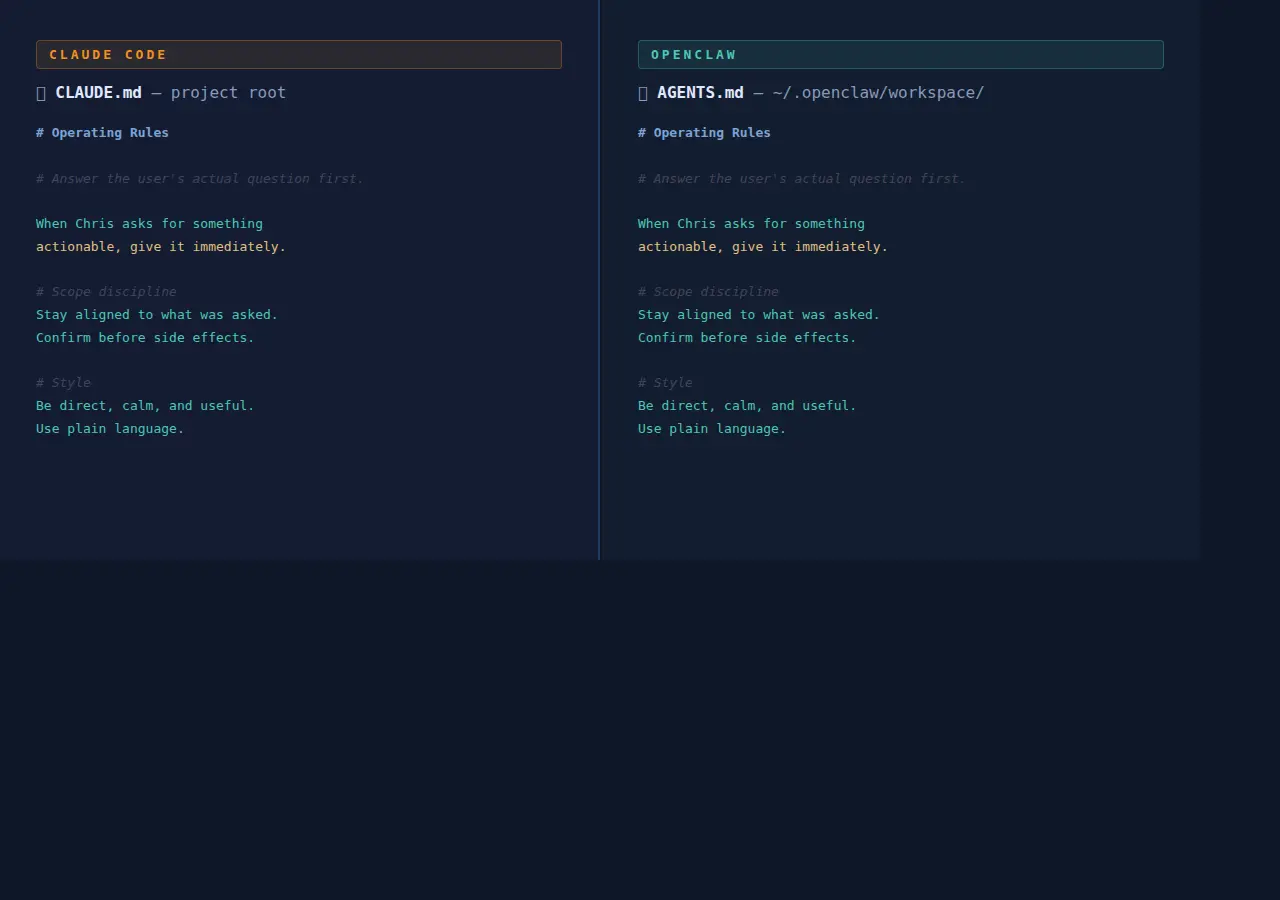
CLAUDE.mdcontext file maps directly toAGENTS.mdin OpenClaw. Copy the content and rename the file. - Tool use patterns transfer. The agent-task mental model is the same. IDE diff integration does not transfer.
- OpenClaw runs as a persistent daemon and connects to more than 20 chat channels natively; Claude Code is session-based and launched manually.
- OpenClaw adds a built-in cron scheduler, a skills system, and isolated multi-agent workspaces that Claude Code doesn't have at the Gateway level.
- Both tools can run side by side. For most Claude Code users, OpenClaw is an addition, not a replacement.
Always review commands your agent suggests before approving them. Don't paste prompts from sources you don't trust.
Fixes when it breaks. Workflows when it doesn't.
OpenClaw guides, configs, and troubleshooting notes. Every two weeks.
What Claude Code and OpenClaw actually do differently
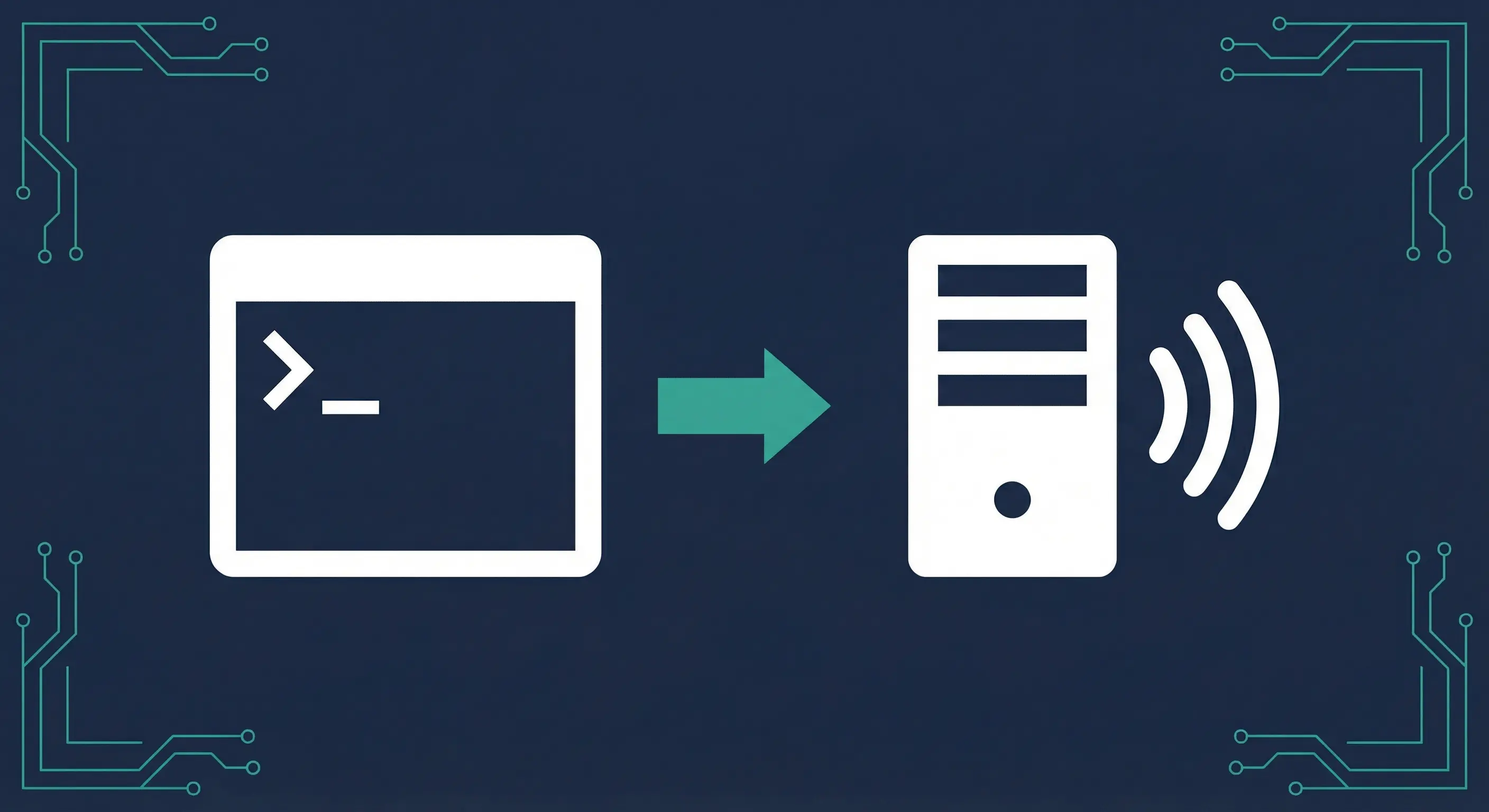
Claude Code is a session-based coding agent. You open a terminal, start a session, give it a task, and it works until the session ends. OpenClaw is a persistent gateway daemon. It runs continuously on a server or your machine, connects to messaging channels, and responds to you from anywhere.
That architectural gap is what drives most of the migration decisions. Claude Code is optimized for interactive coding work inside a project. OpenClaw is optimized for persistent automation, multi-channel access, and scheduled tasks.
They're genuinely different tools. Most users who "migrate" from Claude Code to OpenClaw end up running both. Claude Code stays in the IDE workflow. OpenClaw handles the persistent layer.
Community discussions point to a useful distinction. Claude Code handles one task at a time when you ask. OpenClaw, according to users in r/ClaudeAI, typically has a built-in driver that wakes it up to run tasks according to configured guidelines, without you initiating each session. That said, the official docs are the definitive source on how the driver behaves. (r/ClaudeAI)
What carries over from Claude Code to OpenClaw
The mental model transfers well. You write instructions for the agent in a markdown file, give it tasks, and it uses tools to complete them. That's true in both systems.
The config file naming changes, but the concept is the same:
| Claude Code | OpenClaw | Notes |
|---|---|---|
CLAUDE.md | AGENTS.md | Operating rules and persona instructions |
Auto memory (~/.claude/agent-memory/) | Workspace files (memory/) | Agent-written notes across sessions |
Project scope (./CLAUDE.md) | Workspace (~/.openclaw/workspace/) | Default working directory |
Org policy (/etc/claude-code/CLAUDE.md) | Managed via openclaw.json | Gateway-level config |
| Subagents (UI + SDK) | Multi-agent routing | Isolated agents with separate workspaces |
| MCP servers | Tools + MCP via skills | External integrations |
Tool use patterns also transfer. Both systems use Claude's tool-calling API under the hood. If you've written custom tool flows or system prompts that describe tool behavior, those translate with minimal editing.
CLAUDE.md to AGENTS.md: the file rename that actually matters
In Claude Code, CLAUDE.md files give Claude persistent instructions loaded at the start of every session. You can place them at project level (./CLAUDE.md), user level (~/.claude/CLAUDE.md), or org level.
In OpenClaw, AGENTS.md in the workspace root does the same job. It's loaded at the start of every agent session. The file lives at ~/.openclaw/workspace/AGENTS.md by default.
The migration step is straightforward:
cp ~/your-project/CLAUDE.md ~/.openclaw/workspace/AGENTS.mdThen review the content. A few things to check:
Keep as-is:
- Operating rules and priorities
- Output format preferences
- Tool use guidelines
- Scope discipline instructions
Revise or remove:
- Any paths that reference local project directories (the workspace path is different)
- IDE-specific instructions (OpenClaw doesn't have VS Code integration)
- References to
claudeCLI commands (OpenClaw usesopenclawCLI)
OpenClaw's workspace also supports additional convention files. SOUL.md controls tone and persona. USER.md stores stable facts about you. TOOLS.md holds environment-specific details. You don't have to use them, but they help keep AGENTS.md focused on operating rules rather than accumulating everything.
The full guide to writing an effective AGENTS.md is at How to Write an Effective AGENTS.md for OpenClaw.
What doesn't carry over: IDE integration
Claude Code's VS Code extension and JetBrains plugin give you inline diffs, @ mentions in the editor, and visual plan review directly in your IDE. That isn't currently available in OpenClaw.
If your Claude Code workflow depends on seeing diffs inline before accepting them, that's a Claude Code-specific feature. OpenClaw responds via chat channels. It writes files, but you review them in your editor or terminal like any other file edit.
This is a real trade-off, not a gap that's likely to close soon. OpenClaw is built around messaging channels, not IDE tooling. For active coding sessions where you want tight IDE feedback loops, Claude Code stays the better tool.
How to install OpenClaw alongside Claude Code
Both tools can coexist on the same machine. They use different config directories and don't interfere with each other.
Requirements: Node.js 24 recommended (Node 22.16+ also supported). Check with node --version.
Install via the shell script on macOS or Linux:
curl -fsSL https://openclaw.ai/install.sh | bashOn Windows PowerShell:
iwr -useb https://openclaw.ai/install.ps1 | iexRun the onboarding wizard:
openclaw onboard --install-daemonThe wizard walks through provider selection, API key setup, and Gateway configuration. It takes roughly 2 minutes. The --install-daemon flag installs the Gateway as a system service so it starts automatically on boot.
Verify it's running:
openclaw gateway statusYou should see the Gateway listening on port 18789. Open the dashboard:
openclaw dashboardFull install documentation is at docs.openclaw.ai/start/getting-started. If you want to run on a VPS instead of your local machine, Best VPS for OpenClaw covers the options.
OpenClaw channels: what you can connect
This is the biggest practical difference for most users. OpenClaw (previously known as Clawdbot and Moltbot) connects to more than 20 messaging platforms out of the box (docs.openclaw.ai/channels). You can message your agent from WhatsApp, Telegram, Discord, iMessage, Signal, Slack, IRC, Matrix, and more, all from a single running Gateway.
Claude Code now has a "Claude Code Channels" feature that lets you message a running Claude Code session from Telegram or Discord. It's a newer addition and worth knowing about if you primarily use those two platforms. OpenClaw covers a wider range natively, and adds channels like WhatsApp, iMessage, Signal, and Matrix that Claude Code Channels doesn't include.
Telegram is the fastest channel to set up. You create a bot token and paste it into your config. WhatsApp, Discord, and the others follow similar patterns.
Channel access also changes how you work. Instead of sitting at a terminal to give Claude an instruction, you send a message from your phone. The response comes back in the same chat. That's a workflow shift, not just a config change.
The pairing system controls who can message your Gateway, which matters as soon as you expose it outside localhost.
OpenClaw cron: schedule tasks without staying logged in
Claude Code's desktop app includes basic task scheduling. OpenClaw's cron scheduler is built directly into the Gateway and is more configurable.
Cron jobs persist at ~/.openclaw/cron/jobs.json and survive Gateway restarts. You define a schedule, a message or system event, and optionally a delivery target. The Gateway wakes the agent at the right time without you doing anything.
A simple morning briefing cron job:
openclaw cron add \
  --name "Morning brief" \
  --cron "0 7 * * *" \
  --tz "America/Los_Angeles" \
  --session isolated \
  --message "Summarize overnight updates." \
  --announce \
  --channel telegram \
  --to "channel:YOUR_CHAT_ID"
This runs every morning at 7am, creates an isolated agent session, runs the briefing task, and delivers the output to your Telegram chat.
The full cron reference is at OpenClaw Cron Jobs Automation Guide. It covers one-shot reminders, repeating schedules, webhook delivery, and isolated vs main session execution.
OpenClaw subagents and multi-agent routing
Both Claude Code and OpenClaw support subagents. The mechanics differ.
In Claude Code, subagents are created via the UI or SDK with optional persistent memory at ~/.claude/agent-memory/. They're scoped to a project and session.
In OpenClaw, subagents are isolated agents with separate workspaces, session stores, and auth profiles. Each agent gets its own AGENTS.md, SOUL.md, memory directory, and channel bindings. The main agent can spawn subagents for specific tasks, and results are pushed back to the requester session automatically.
Create a new isolated agent:
openclaw agents add coding
openclaw agents add social
Each agent gets its own workspace under ~/.openclaw/workspace-<agentId> and sessions under ~/.openclaw/agents/<agentId>/sessions.
This is useful when you want one agent for coding tasks, another for content or social tasks, with separate permissions and personas. The multi-agent setup guide covers routing, bindings, and auth profile sharing.
OpenClaw skills: reusable agent workflows
Claude Code has custom commands and MCP server support. OpenClaw has a skills system that packages reusable workflows into installable units.
A skill is a directory with a SKILL.md file describing what it does, plus any scripts, templates, or prompts it needs. The agent reads the skill file when the task matches its description and follows its instructions.
Skills can be published and installed via ClawhHub:
openclaw skills install weather
openclaw skills install blog-writer
There's no direct Claude Code equivalent. MCP servers come closest; they expose tool endpoints. But skills are higher-level workflow packages that include prompts, scripts, and agent instructions together.
The OpenClaw Skills and ClawhHub guide covers creating, installing, and publishing skills.
Step-by-step migration checklist
Use this as your migration sequence. You don't have to run it all at once. Steps 1 and 2 are enough to get started, then add the rest as you need them.
Step 1: Install OpenClaw
curl -fsSL https://openclaw.ai/install.sh | bash
openclaw onboard --install-daemon
Step 2: Migrate your CLAUDE.md
cp ~/your-project/CLAUDE.md ~/.openclaw/workspace/AGENTS.mdReview the content. Remove IDE-specific instructions and local project paths. Add any OpenClaw-specific rules you want (tool approval behavior, channel preferences, etc.).
Step 3: Connect a channel
openclaw configure --channel telegramFollow the prompts. Your Telegram bot token goes into ~/.openclaw/openclaw.json.
Step 4: Add a cron job
openclaw cron add \
  --name "Daily check-in" \
  --cron "0 9 * * *" \
  --session isolated \
  --message "What tasks need attention today?" \
  --announce \
  --channel telegram
That's a working persistent agent. Claude Code stays on your machine for interactive coding sessions. OpenClaw handles everything that should run without you being at a terminal.
Key terms
Gateway: The OpenClaw daemon process that runs continuously and handles message routing, cron scheduling, and channel connections. Think of it as a server process, not a CLI session.
AGENTS.md: The operating instructions file in the OpenClaw workspace. Loaded at the start of every agent session. Equivalent to Claude Code's CLAUDE.md.
Cron job: A scheduled task in the OpenClaw Gateway scheduler. Persists across restarts and can deliver output to a chat channel.
Skill: A packaged agent workflow in OpenClaw. Contains instructions, scripts, and prompts for a specific task type.
Channel: A messaging platform connected to the Gateway (Telegram, WhatsApp, Discord, etc.). The agent sends and receives messages through channels.
Subagent: An isolated agent instance with its own workspace, session store, and configuration. Spawned by the main agent to handle specific tasks.
Pairing: The OpenClaw mechanism that controls which phone numbers, user IDs, or channel accounts can send messages to your Gateway.
FAQ
Does OpenClaw replace Claude Code, or can I run both together?
OpenClaw and Claude Code serve different use cases and run independently on the same machine. Claude Code is a session-based coding agent with IDE integration and inline diff review. OpenClaw is a persistent gateway daemon for always-on automation, multi-channel access, and scheduled tasks. Most users run Claude Code for active development sessions and OpenClaw for background tasks, channel notifications, and cron-driven workflows. There is typically no conflict between the two installations.
How do I convert my CLAUDE.md file to AGENTS.md for OpenClaw?
Copy your CLAUDE.md content to ~/.openclaw/workspace/AGENTS.md. Then review three things: remove any paths that reference local project directories, remove IDE-specific instructions (VS Code diffs, @ mentions), and remove any references to claude CLI commands. The operating rules, output preferences, and tool use guidelines can stay as-is. OpenClaw also supports SOUL.md for tone, USER.md for user-specific facts, and TOOLS.md for environment details. If your CLAUDE.md has grown large, those files give you a clean way to split the content.
Does OpenClaw have the same IDE integration as Claude Code?
No. OpenClaw does not have a VS Code extension, JetBrains plugin, or inline diff review. It's built around messaging channels, not editor tooling. If your workflow depends on seeing diffs inline in your editor and approving them before they're applied, Claude Code is still the right tool for that part of your work. OpenClaw handles the persistent automation and multi-channel side.
Can I use OpenClaw with the same API key as Claude Code?
Yes. Both tools use the Anthropic API (or other providers you configure). Your existing Anthropic API key works in OpenClaw. During openclaw onboard, you'll be prompted to enter your provider and API key. You can use the same key or a different one. OpenClaw also supports OpenAI, Google, and any OpenAI-compatible provider, so you're not locked to Anthropic.
What is the OpenClaw equivalent of Claude Code's cron task scheduling?
OpenClaw has a built-in cron scheduler in the Gateway. It's more capable than the Claude Code desktop app's recurring tasks feature. Jobs persist at ~/.openclaw/cron/jobs.json and support standard cron syntax (0 7 * * *). Output can be delivered directly to any connected channel (Telegram, Discord, etc.). You manage jobs with openclaw cron add, openclaw cron list, and openclaw cron run. The OpenClaw cron guide has the full reference.
Evidence & Methodology
Claims in this article are sourced from the following primary sources:
- Claude Code overview and feature list: code.claude.com/docs/en/overview
- Claude Code memory (CLAUDE.md): code.claude.com/docs/en/memory
- Claude Code subagents: code.claude.com/docs/en/sub-agents
- OpenClaw getting started: docs.openclaw.ai/start/getting-started
- OpenClaw cron jobs: docs.openclaw.ai/automation/cron-jobs
- OpenClaw multi-agent routing: docs.openclaw.ai/concepts/multi-agent
- Community comparison discussion: reddit.com/r/ClaudeAI
Feature availability was verified against live documentation as of March 2026. Claude Code Channels is noted as a newer feature that may expand over time.
Related resources
- How to Write an Effective AGENTS.md for OpenClaw
- OpenClaw Cron Jobs Automation Guide
- OpenClaw Telegram Setup Guide
- OpenClaw Multi-Agent Setup Guide
- OpenClaw Skills and ClawhHub Guide
- Best VPS for OpenClaw
- OpenClaw Persistent Memory Guide
- OpenClaw Pairing Explained
Changelog
| Date | Change |
|---|---|
| 2026-03-23 | Initial publication |
Fixes when it breaks. Workflows when it doesn't.
OpenClaw guides, configs, and troubleshooting notes. Every two weeks.