OpenClaw API Cost Breakdown: Real Numbers From 49 Days
OpenClaw was previously known as Clawdbot and Moltbot. This guide applies to all versions.
OpenClaw API cost breakdown from 49 days of real production use: \$810 total, split by model, session type, cron jobs, and the specific tasks that cause spikes.
Key takeaways
- OpenClaw (previously known as Clawdbot and Moltbot) spent $810 on API fees over 49 days of active production use on this server.
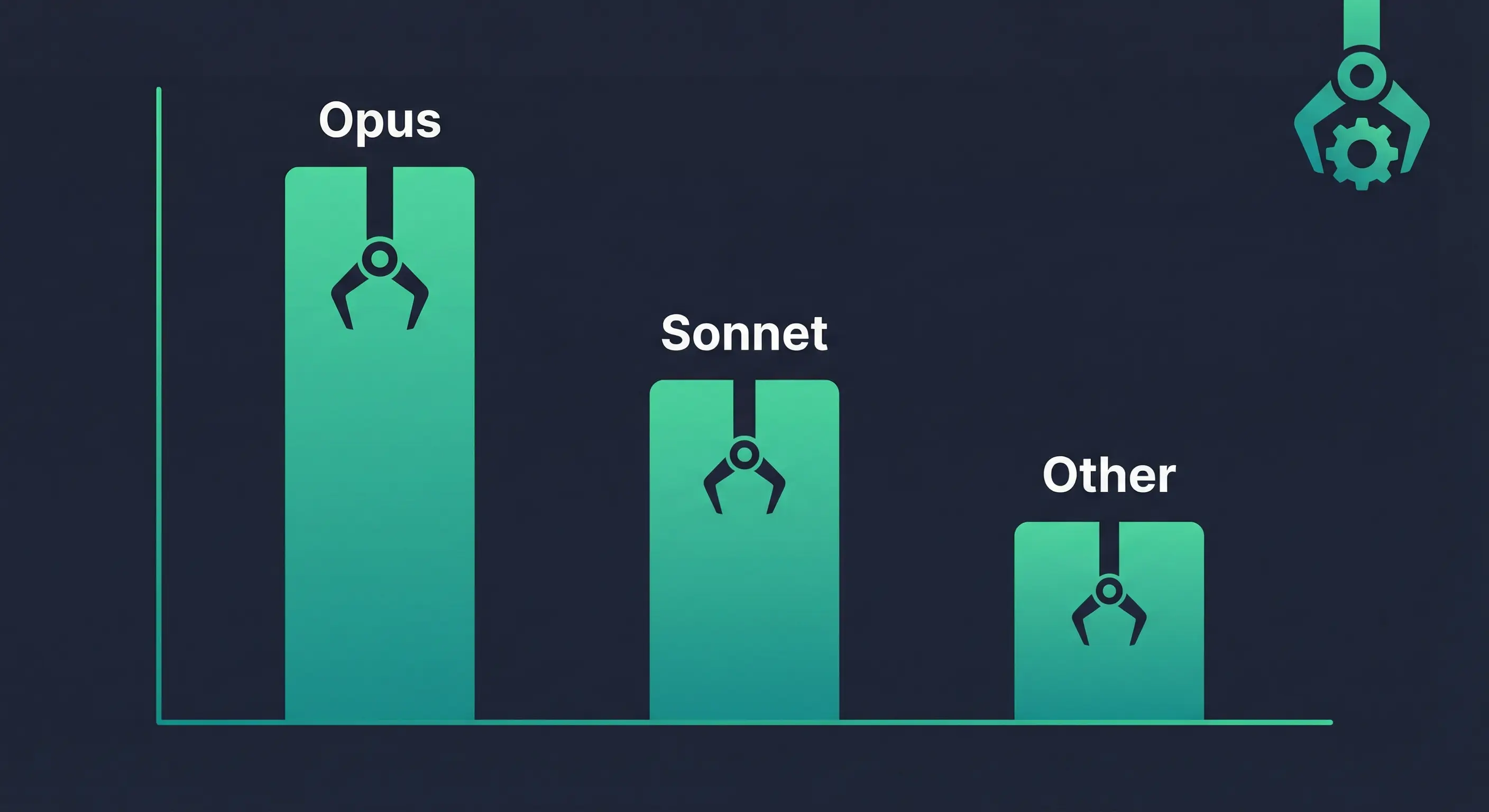
- Claude Opus 4.6 accounts for 81% of total spending, mostly from prompt cache writes at $6.25/MTok.
- Interactive sessions cost the most ($653), followed by cron jobs ($94) and subagents ($64).
- Daily spend ranges from $0.15 on quiet days to $113 during heavy coding or pipeline runs.
- Switching cron jobs and lightweight tasks to Sonnet 4.6 or Haiku would cut the bill significantly.
Always review commands your agent suggests before approving them. Don't paste prompts from sources you don't trust.
Fixes when it breaks. Workflows when it doesn't.
OpenClaw guides, configs, and troubleshooting notes. Every two weeks.
What OpenClaw spent on API in 49 days
This server ran $810.64 in API charges from February 3 to March 23, 2026. That total covers 463 session files, 14 active cron jobs running on regular schedules, a daily blog pipeline with automated drafting and review, and regular interactive use through Telegram for coding and project management.
Those numbers come from the session JSONL files stored at /home/molty/.openclaw/agents/main/sessions/. Every API response logs its usage object with input, output, cache read, and cache write costs. The totals below are parsed directly from that data.
The 49-day window was not a quiet maintenance period. It included heavy coding projects (Canvas Studio architecture, the Stack-Junkie v3 site), the full blog automation pipeline being built and running, and regular daily use. A lighter workload would cost substantially less.
OpenClaw API cost breakdown by model
| Model | Total Cost | Output | Cache Reads | Cache Writes | API Calls |
|---|---|---|---|---|---|
| claude-opus-4-6 | $658.07 | $47.35 | $212.69 | $397.98 | 5,650 |
| claude-sonnet-4-6 | $69.65 | $11.83 | $25.15 | $32.65 | 2,097 |
| claude-opus-4-5 | $44.30 | $3.22 | $18.44 | $22.63 | 437 |
| claude-sonnet-4-5 | $20.54 | $4.58 | $10.34 | $5.62 | 466 |
| gpt-5.2-codex | $5.38 | $0.52 | $1.69 | N/A | 144 |
| glm-4.7 | $5.01 | $0.16 | $2.85 | N/A | 319 |
| glm-5 | $4.01 | $0.20 | $0.80 | N/A | 143 |
| gpt-5.2 | $3.68 | $0.50 | $0.75 | N/A | 116 |
Two things are worth noting. Opus 4.6 alone is 81% of total cost, making model choice the biggest lever in the whole bill. And for Claude models, cache writes dwarf actual output costs. For Opus 4.6, output tokens cost $47, but cache writes cost $398.
Why Claude Opus 4.6 dominates the bill
Anthropic's prompt caching charges $6.25/MTok for cache writes and $0.50/MTok for cache reads on Claude Opus 4.6. That means a cache write costs 25% more than a regular input token, and reading from cache costs 10% of the base input price.
In practice, the system prompt for this OpenClaw deployment is long. Every new session writes that system prompt to Anthropic's cache. The write costs more per token than regular input, but subsequent reads within the same session cost almost nothing. Long sessions benefit from caching. Short sessions pay the write cost without getting the read savings back.
The session files confirm this. For Opus 4.6:
- Base input cost: $0.04
- Output cost: $47.35
- Cache reads: $212.69
- Cache writes: $397.98
The system prompt gets written to cache on session start. If a session is short (a few exchanges), that cache write doesn't pay for itself. With 5,650 API calls spread across 463 sessions, many of those writes were for sessions that ended quickly.
Sonnet 4.6 shows a healthier ratio. Cache reads ($25.15) exceed cache writes ($32.65) less dramatically, and output costs ($11.83) are proportionally higher. That's a more typical usage pattern.
What each session type costs in OpenClaw
OpenClaw sessions fall into three types. The cost split across the 49-day window:
| Session type | Total cost | Share |
|---|---|---|
| Interactive (direct use) | $652.96 | 80.5% |
| Cron jobs (scheduled) | $93.61 | 11.6% |
| Subagents (spawned workers) | $63.89 | 7.9% |
Interactive sessions are the biggest line item by far. These are conversations through Telegram, long coding tasks, research sessions, and anything where a human is directing the work. The single most expensive session cost $113.91 for a Canvas Studio architecture overhaul.
Cron jobs run 14 active schedules: hourly Git sync, daily memory synthesis, blog pipeline phases (research, draft, review), the Lantern watchdog every 15 minutes, daily idea radar, daily journal, and a few others. Most cron jobs are lightweight, but the blog pipeline jobs can spin up subagents and run for several minutes.
Subagents get spawned for tasks that benefit from a clean context: article writing, deep research, code reviews, pipeline phases. They're cheaper per session than interactive use, but they add up across a day with heavy automation.
Daily API spend patterns for OpenClaw
| Date | Cost | Notes |
|---|---|---|
| 2026-02-03 | $1.20 | Early setup |
| 2026-02-07 | $19.55 | Active development |
| 2026-02-09 | $62.41 | Long setup session |
| 2026-02-11 | $134.99 | Canvas Studio refactor (single session: $113.91) |
| 2026-02-18 | $22.84 | Mixed use |
| 2026-03-01 | $31.30 | Pipeline development |
| 2026-03-03 | $52.73 | Heavy coding |
| 2026-03-08 | $26.89 | Active sessions |
| 2026-03-14 | $71.82 | Large Telegram conversation |
| 2026-03-19 | $101.80 | Blog pipeline + subagent runs |
| 2026-03-22 | $50.31 | Pipeline work |
| 2026-03-23 | $101.04 | Article generation day |
| Quiet days | $0.15–$1.50 | Cron-only activity |
Most days land between $5 and $25 when automation is running normally. Heavy interactive sessions or large subagent pipeline runs push it to $50–$130. Days with no human interaction and only cron jobs run $0.15–$3.
What causes OpenClaw API cost spikes
Three things drive large daily costs:
Long context coding sessions. The February 11 spike ($134.99) came from a single session that consumed $113.91. That was a coding task requiring many tool calls against a large codebase. Each call sent the full context plus the accumulated conversation history. At Opus 4.6 rates, that gets expensive fast.
Blog pipeline automation with subagents. The March 19 and March 23 spikes ($101+ each) came from running full blog article pipelines. Each article spawns multiple subagents for research, drafting, image generation, humanizing, and review. One article run might cost $15–$40 in Opus-heavy subagent work.
Multi-hour Telegram conversations. The March 14 spike ($71.82) traces to a long interactive conversation. As the context window grows within a session, each subsequent call carries more tokens. Cache reads keep it manageable, but the session itself still accumulates cost over time.
How to reduce OpenClaw API costs
A few things actually move the number:
Use model allocation for cron jobs. Most scheduled tasks don't need Opus. The daily Git sync, the Lantern watchdog, the board staleness check: these can run on Sonnet 4.6 or even Haiku 4.5 at $1/MTok input without quality loss. OpenClaw's model allocation docs let you assign specific models to specific agents or session types.
Set session context limits. Long sessions accumulate context and push cache write costs up. For tasks that don't need history, resetting context (or using fresh subagents) keeps individual session costs lower.
Watch cache write-to-read ratio. Cache writes ($6.25/MTok for Opus) cost more than base input ($5/MTok). For very short sessions, you pay the write without getting the cache read discount. If your sessions are typically short, caching may not be saving money.
Assign cheaper models to subagents. Subagents doing research or mechanical tasks (file reads, link checks) don't need Opus. Sonnet 4.6 at $3/MTok input vs $5/MTok for Opus 4.6 is a 40% rate reduction before counting output.
Audit your cron schedule. Fourteen active cron jobs is a lot. The Lantern watchdog runs every 15 minutes. That's 96 sessions per day from one job alone. If those sessions are lightweight, they're individually cheap, but they add up across a month.
What OpenClaw API costs for a lighter workload
The $810/49 days figure reflects heavy active development and automation. Here's a rough estimate for different workload levels:
Minimal use (light automation only): $5–$20/month. A few cron jobs, no active coding sessions, occasional Telegram messages. The cron overhead at Sonnet pricing might run $3–$8/month. Add some interactive use and you're in the $10–$20 range.
Moderate use (daily automation + regular interactive): $30–$80/month. Daily blog pipeline running, regular conversations, some subagent tasks. This is probably where most active personal deployments land.
Heavy use (active development + full pipelines): $100–$300/month or more. Building new features, running large subagent pipelines, long coding sessions with Opus. The usage window covered here averaged about $18/day across all active days, which projects to $540/month at that pace.
The model choice matters more than anything else. Running Opus for everything costs roughly 5x what Sonnet costs for equivalent token volume, and 25x what Haiku costs.
Key terms
Prompt caching: A feature in Anthropic's API that stores frequently repeated content (like system prompts) server-side so subsequent calls can read from cache at $0.50/MTok instead of paying full input rates. Cache writes cost $6.25/MTok for Claude Opus 4.6.
Cache write: The first call that populates the cache. Costs more per token than standard input. Breaks even once cache reads save enough to offset the write cost.
Session JSONL: OpenClaw stores each session as a line-delimited JSON file in agents/[agent]/sessions/. Each API response logs its usage object including cost breakdown.
MTok: One million tokens. Standard unit for LLM pricing.
FAQ
How much does OpenClaw cost per month in API fees?
It depends entirely on usage. This deployment spent roughly $810 over 49 days of active use including heavy development work and full automation pipelines. A lighter personal deployment with basic automation might cost $10–$50/month. The main factors are which model you use (Opus vs Sonnet vs Haiku), how many cron jobs you run, and how much interactive use you have.
Does OpenClaw itself charge for API usage?
No. OpenClaw is the orchestration layer; it doesn't charge per-token fees. You pay the model providers directly through your own API keys. OpenClaw connects to Anthropic, OpenAI, Google, and others, and the charges go to your account with each provider. OpenClaw tracks spending per session via /status and logs it to the session JSONL files.
Why are cache writes expensive in OpenClaw with Claude?
Anthropic charges $6.25/MTok for cache writes on Opus 4.6, which is 25% more than the standard $5/MTok input rate. The trade-off is that cache reads cost only $0.50/MTok. For long sessions, the math works in your favor. For short sessions, you pay the write premium without getting the read savings back. OpenClaw's long system prompt gets written to cache on each new session start, which is why cache write costs are high even on sessions with minimal actual conversation.
How does OpenClaw track API spending?
Every API response includes a usage object with cost fields for input, output, cache reads, and cache writes. OpenClaw logs these to session JSONL files at agents/main/sessions/. You can also see per-session estimates with /status and append a cost footer to every reply with /usage full. There's no built-in monthly dashboard, but you can parse the JSONL files directly to aggregate spending across sessions.
Which model costs the most in OpenClaw deployments?
Claude Opus 4.6 at $5/MTok input and $25/MTok output is the most expensive current-generation Claude model. This server spent $658 on Opus 4.6 alone out of $810 total. For deployments using Opus as the default model, it's the dominant cost. Claude Haiku 4.5 at $1/MTok input and $5/MTok output is the cheapest capable Claude model. Using Haiku for automation tasks instead of Opus cuts the per-token cost by 80%.
Evidence and Methodology
Data source: Production server session JSONL files at /home/molty/.openclaw/agents/main/sessions/
Date range: 2026-02-03 to 2026-03-23 (approximately 49 days of logged data)
Session count: 463 session files with cost data
Method: Parsed each JSONL file to extract usage.cost.total from type: "message" entries. Session types (interactive vs cron vs subagent) were inferred from session content patterns. Model attribution from message.model field.
Pricing source: Anthropic API pricing page
OpenClaw cost tracking docs: docs.openclaw.ai/reference/api-usage-costs
Limitation: Session type classification (cron/interactive/subagent) is based on content pattern matching. Some sessions may be miscategorized. Exact count of cron sessions depends on whether content includes keywords like "cron", "scheduled", or "heartbeat".
Related resources
- OpenClaw Cost Control: Manage API Spending Without Killing Your Agent
- OpenClaw Cron Jobs: 8 Automation Templates, Schedules, and Debug Steps
- OpenClaw Multi-Agent Setup Guide
Changelog
| Date | Change |
|---|---|
| 2026-03-23 | Initial publication |
Fixes when it breaks. Workflows when it doesn't.
OpenClaw guides, configs, and troubleshooting notes. Every two weeks.