OpenClaw Workspace Files: MEMORY, AGENTS, and SOUL Guide
OpenClaw was previously known as Clawdbot and Moltbot. This guide applies to all versions.
OpenClaw workspace files explained: AGENTS.md, SOUL.md, USER.md, TOOLS.md, MEMORY.md, HEARTBEAT.md, and BOOTSTRAP.md with load order and common mistakes.
Key takeaways
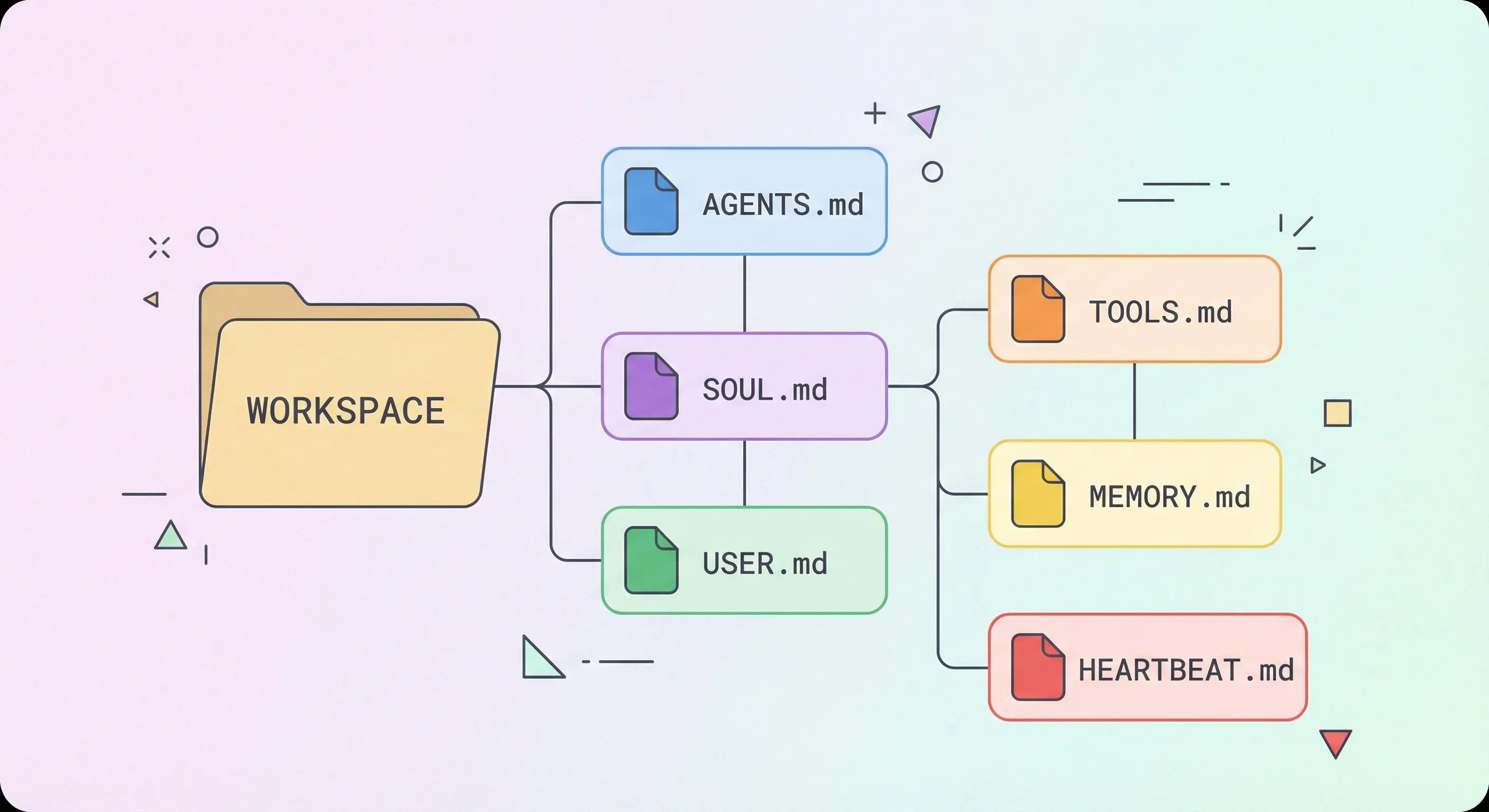
- OpenClaw loads up to 8 workspace files at session start; each has a distinct, non-overlapping role
- AGENTS.md holds operating rules, SOUL.md shapes tone, USER.md stores facts about the user, TOOLS.md documents your environment
- MEMORY.md is curated long-term memory and should only load in private sessions, not group chats
- HEARTBEAT.md is a short cron checklist; keep it under 50 lines or you waste tokens on every scheduled run
- BOOTSTRAP.md runs once during initial setup and should be deleted when that ritual is complete
Always review commands your agent suggests before approving them. Don't paste prompts from sources you don't trust.
Fixes when it breaks. Workflows when it doesn't.
OpenClaw guides, configs, and troubleshooting notes. Every two weeks.
What workspace files does OpenClaw load at session start?
OpenClaw reads all standard workspace files at session start and injects them into the agent context before the first message arrives. Every file you put in the workspace root becomes part of the system prompt that shapes how your agent thinks, responds, and operates. The order matters because later files can expand or reinforce earlier ones, and missing files silently change behavior.
The standard file set:
| File | Role | When loaded |
|---|---|---|
AGENTS.md | Operating rules and behavior | Every session |
SOUL.md | Tone and persona | Every session |
USER.md | User facts and preferences | Every session |
IDENTITY.md | Agent name, emoji, avatar | Every session |
TOOLS.md | Environment notes and commands | Every session |
HEARTBEAT.md | Cron checklist | Every session |
MEMORY.md | Curated long-term memory | Every session (private only) |
memory/YYYY-MM-DD.md | Daily log | Today + yesterday |
BOOTSTRAP.md | First-run ritual | One time only |
Each file has a character budget. According to the OpenClaw workspace docs, the per-file limit is 20,000 characters by default (agents.defaults.bootstrapMaxChars) and the total for all bootstrap files combined is 150,000 characters (agents.defaults.bootstrapTotalMaxChars). Files that exceed the limit get silently truncated, which is one reason to keep each file focused and short.
What does AGENTS.md do and what belongs in it?
AGENTS.md is the operating manual for your agent. It tells the agent how to behave, what rules to follow, how to handle uncertainty, and what requires approval before acting. The OpenClaw docs describe it as "operating instructions for the agent and how it should use memory."
What belongs in AGENTS.md:
- Behavioral rules ("answer the question first, then explain")
- Approval requirements ("ask before deleting files")
- Pipeline discipline ("never skip phases")
- Scope rules ("stay tightly aligned to what was asked")
- Tool usage policies
- Subagent routing rules
- Special routing or mapping rules (like Telegram topic maps)
What does NOT belong in AGENTS.md:
- Tone or personality (that goes in SOUL.md)
- Facts about the user (that goes in USER.md)
- Environment paths and commands (that goes in TOOLS.md)
- Project-specific notes (that goes in MEMORY.md)
For a deeper dive into AGENTS.md, see the guide to writing an effective AGENTS.md for OpenClaw.
What does SOUL.md do and how is it different from AGENTS.md?
SOUL.md defines your agent's voice. It is loaded every session alongside AGENTS.md but serves a completely different purpose. Where AGENTS.md answers "what should the agent do," SOUL.md answers "how should the agent sound."
A well-written SOUL.md covers:
- Tone (direct, warm, technical, casual)
- Language style (plain vs. formal, humor level)
- Default stance and attitude
- How to handle uncertainty or hard truths
- What the agent should feel like to interact with
SOUL.md does NOT need to repeat rules from AGENTS.md. If you find yourself putting behavioral instructions in SOUL.md ("always confirm before deleting files"), move them to AGENTS.md. The separation keeps both files readable and makes the agent easier to tune.
A minimal SOUL.md that works:
## Tone
Speak like a capable technical partner. Prefer clarity over charm.
Use plain language. Light humor only when it helps.

## Default stance
Support forward movement. Adapt quickly to corrections.
Handle hard truths plainly and cleanly.
What does USER.md store and why does it stay separate?
USER.md holds stable facts about the person the agent works for. It loads every session so the agent never needs to re-ask for information the user already provided.
Good content for USER.md:
- Name and how to address the user
- Location and timezone
- OS and preferred shell
- Communication style preferences
- Standing instructions ("no em dashes", "no next-time phrasing")
- Things the agent should never do (example: "never suggest going to sleep")
USER.md stays separate from AGENTS.md so you can update one without touching the other. A rule change in AGENTS.md should not require editing USER.md. A preference change in USER.md should not require editing AGENTS.md.
Keep USER.md concise and factual. Avoid preferences that belong in SOUL.md (tone guidance) or AGENTS.md (behavioral rules). The cleaner the separation, the easier it is to maintain.
What does TOOLS.md do (and what it does NOT do)?
TOOLS.md is your environment cheat sheet. It documents the specific paths, commands, API credentials, device names, and quirks that are unique to your setup. The official docs are explicit on one important point: "Does not control tool availability; it is only guidance."
That distinction matters. Writing "use Playwright for browser automation" in TOOLS.md does not make Playwright available. Tool availability is controlled by your OpenClaw config (plugins.entries, tool policies). TOOLS.md just documents what you have.
Good content for TOOLS.md:
- API base URLs and auth tokens
- Server addresses and open ports
- Browser relay setup instructions
- Device nicknames and camera locations
- SSH aliases
- Scripts and their locations
- Environment-specific gotchas
Think of TOOLS.md as the documentation you would write for a new developer joining your setup. If they needed to know a hostname or a script path, it goes here.
How does MEMORY.md work and when should you use it?
MEMORY.md holds curated long-term memory: decisions, preferences, and durable facts that the agent needs across sessions. It is loaded every session in private contexts but should NOT be loaded in group or shared channel contexts where private information could leak.
The purpose of MEMORY.md is to hold information that would otherwise be lost between sessions. Project history, strategic notes, operational lessons, and key capabilities all belong here.
What MEMORY.md is not:
- A running log (that is
memory/YYYY-MM-DD.md) - A place for configuration or rules (that is AGENTS.md)
- A duplicate of USER.md preferences
MEMORY.md should grow slowly and deliberately. Every time the agent writes something to MEMORY.md, it consumes a portion of the token budget for every future session. Entries that are no longer relevant should be pruned. Good sections:
- Personal preferences (distilled, not raw chat history)
- Project history and status
- Strategic notes
- Operational lessons learned
For full setup guidance, see the OpenClaw persistent memory guide.
What are daily memory logs and how do they differ from MEMORY.md?
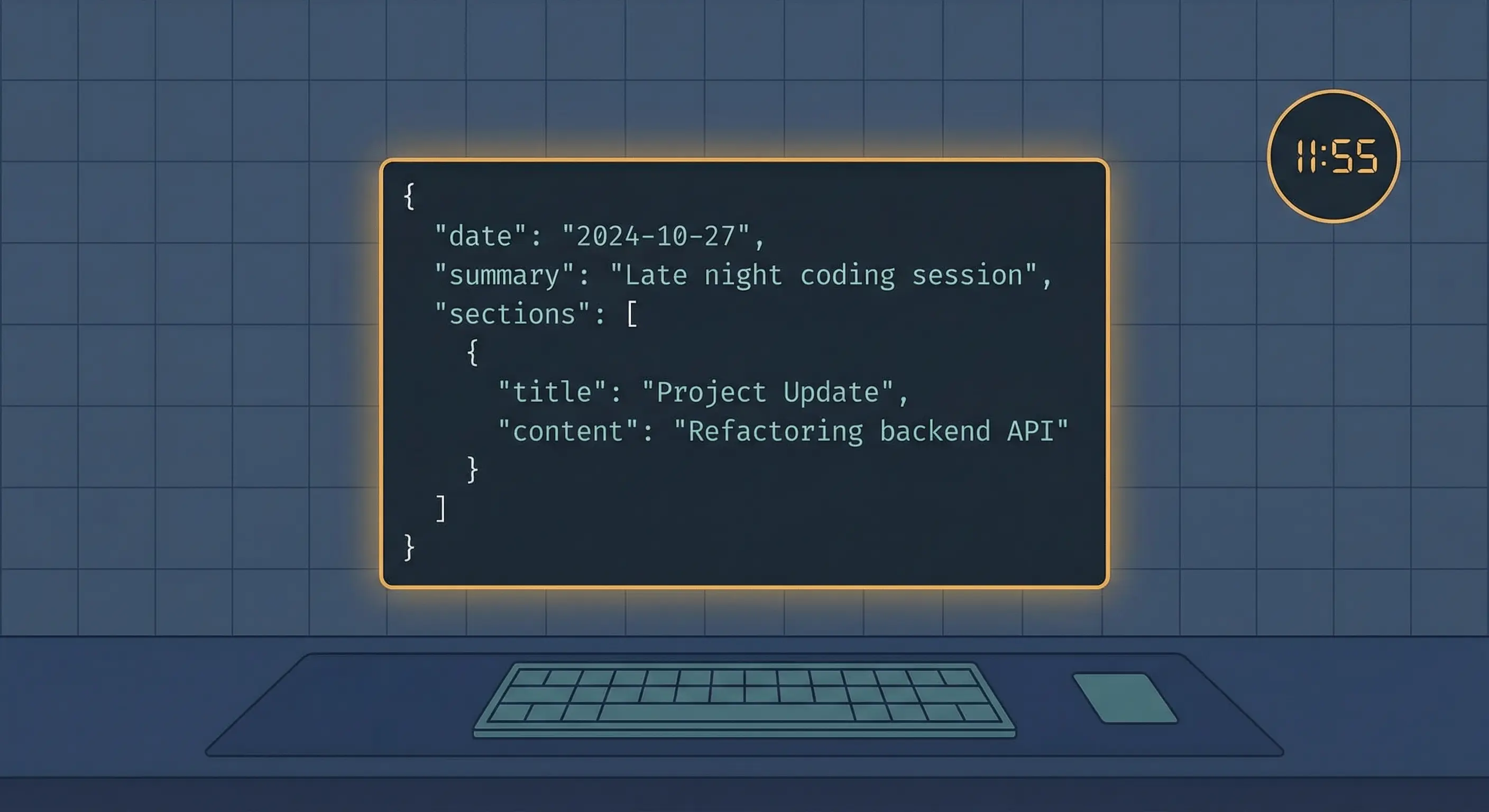
Daily logs live at memory/YYYY-MM-DD.md and serve a different purpose than MEMORY.md. They are append-only running logs of what happened in a given day. OpenClaw reads today's log and yesterday's log at session start.
Think of the distinction this way: daily logs are ephemeral working notes, MEMORY.md is the permanent record.
The automatic memory flush feature reinforces this. When a session approaches context compaction, OpenClaw triggers a silent agentic turn that prompts the agent to write durable facts to the daily log before the context window resets. This keeps important decisions from being lost.
Daily logs are best for:
- Notes from the current session
- Decisions that may or may not become permanent
- Running context during complex multi-day work
- Quick entries that the agent should promote to MEMORY.md if they stick
What does IDENTITY.md define for your agent?
IDENTITY.md gives the agent a name, a visual identity, and a personality anchor. It is created and updated during the initial bootstrap ritual. A minimal IDENTITY.md looks like this:
Name: Molty Juniper
Role: Operator agent for Chris Kvamme
Avatar: assets/avatars/molty-operator-v7.png
Emoji: 🌿
IDENTITY.md feeds into how the agent introduces itself, signs off on messages, and maintains a consistent persona. It does not need to be long. The name and role are the essential parts. An emoji and avatar path are optional but help when the agent interacts across multiple channels.
IDENTITY.md is one of the files that openclaw onboard creates automatically. If your workspace was set up manually or migrated, you may need to create it yourself.
What is HEARTBEAT.md and how does it affect cron runs?
HEARTBEAT.md is an optional checklist that the agent consults on every scheduled (heartbeat) run. If you have cron jobs set up in OpenClaw, the agent reads HEARTBEAT.md and follows its instructions. See the OpenClaw cron jobs guide for how to configure scheduled runs.
The critical constraint is token cost. HEARTBEAT.md is read on every heartbeat run. A 500-line HEARTBEAT.md means 500 lines of token consumption per cron trigger, multiplied by however many cron jobs you run. Keep it under 50 lines.
Effective HEARTBEAT.md structure:
## Every heartbeat
- Self-improvement review: scan .learnings/ for pending items
- Git backup: run auto-git-sync script
- System health check (with --notify flag)
- Cron failure delta check

## Once daily
- Data collection health check
- Memory index coverage check

## Weekly
- Gateway port audit
- Auth token verification
What does NOT belong in HEARTBEAT.md: long explanations, background context, or anything the agent only needs once. Instructions that the agent needs in all sessions go in AGENTS.md. Instructions that are only relevant to cron runs go in HEARTBEAT.md.
What is BOOTSTRAP.md and when should you delete it?
BOOTSTRAP.md is a first-run ritual file. When OpenClaw sets up a fresh workspace with openclaw onboard or openclaw setup, it creates BOOTSTRAP.md with a checklist of one-time setup tasks: create IDENTITY.md, write initial SOUL.md, configure channels, and similar steps.
Once you complete the ritual, delete BOOTSTRAP.md. It has no use after initial setup and will waste token budget on every future session if left in place.
If BOOTSTRAP.md is missing, OpenClaw injects a "missing file" marker and continues. No errors, no breakage. The file is strictly optional after setup.
How do workspace files interact and what is file role discipline?
File role discipline is the practice of keeping each file focused on its defined purpose. It matters most when the context window fills and the agent has to reason across all the injected files at once.
When files mix roles, problems compound. If AGENTS.md contains user preferences, SOUL.md contains behavioral rules, and TOOLS.md contains memory notes, the agent has to parse intent from four different places. The reasoning becomes less reliable, and updates to one file can accidentally conflict with content in another.
The AGENTS.md file in our workspace formalizes this as a rule:
- AGENTS.md: operating rules
- SOUL.md: tone and personality
- USER.md: stable facts about the user
- TOOLS.md: environment details, paths, commands, IDs
- MEMORY.md: durable learned context
When you want to add something, ask: "Is this a rule, a preference, a fact about the user, an environment note, or a memory?" The answer tells you which file to edit.
Common mistakes when setting up OpenClaw workspace files
Putting credentials in the workspace. The workspace root is a good place to track in git. API keys and OAuth tokens are not. Store credentials in ~/.openclaw/credentials/ or use environment variables. Keep them out of version control even in private repos.
Making HEARTBEAT.md too long. Every line in HEARTBEAT.md burns tokens on every scheduled run. Write instructions like scripts, not prose. One line per task, no explanations.
Keeping BOOTSTRAP.md after setup. BOOTSTRAP.md exists for initial setup only. If it is still in your workspace a week after installation, delete it. It adds token cost with zero benefit.
Loading MEMORY.md in group chats. MEMORY.md likely contains private user preferences, project names, and operational details. Only enable it in private sessions. The OpenClaw memory docs flag this explicitly.
Writing tone instructions in AGENTS.md. "Be friendly and use plain language" belongs in SOUL.md. AGENTS.md is for rules and constraints, not personality. The files work better when each one has a single clear purpose.
Using TOOLS.md to grant tool access. Writing "Use Playwright for browser automation" in TOOLS.md does not make Playwright available. Tool availability comes from your openclaw.json plugin configuration. TOOLS.md is documentation, not configuration.
Letting MEMORY.md grow unchecked. MEMORY.md is read every session. Stale entries from completed projects still consume tokens. Prune entries that are no longer relevant every few months.
Key terms
Workspace root: The base directory OpenClaw uses for all file tools and context injection. Default: ~/.openclaw/workspace. Configurable in openclaw.json.
Bootstrap files: Standard workspace files (AGENTS.md, SOUL.md, etc.) that OpenClaw injects at session start. Subject to character limits: 20,000 per file, 150,000 total.
File role discipline: The practice of keeping each workspace file focused on its intended purpose (rules, tone, user facts, env notes) so the agent can reason cleanly across all of them.
Memory flush: An automatic silent agentic turn that triggers before context compaction, prompting the agent to write durable facts to the daily memory log before the context resets.
HEARTBEAT.md: An optional cron checklist loaded on every scheduled run. Token cost scales with file length, so keep it short.
FAQ
What is the difference between AGENTS.md and SOUL.md in OpenClaw?
AGENTS.md holds operating rules: what the agent should do, what requires approval, how to handle scope, and how to behave in specific situations. SOUL.md defines tone and persona: how the agent sounds, the vocabulary it uses, and its emotional register. Rules go in AGENTS.md; voice goes in SOUL.md. Mixing them makes both files harder to maintain and produces less predictable agent behavior.
Does OpenClaw load all workspace files every session, or only when they change?
OpenClaw injects all standard workspace files at the start of every session, regardless of whether they changed since the last session. There is no delta-loading or caching at the file level. This is why file size matters: every byte in every workspace file is read into the context window each time a new session starts, counting against your token budget.
Can I add custom workspace files beyond the standard set in OpenClaw?
Yes. Custom files like SUBAGENT-POLICY.md or specific policy documents can be placed in the workspace. However, OpenClaw only injects the standard files automatically. To use a custom file, you need to reference or instruct the agent to read it explicitly. The standard files (AGENTS.md, SOUL.md, USER.md, TOOLS.md, MEMORY.md, IDENTITY.md, HEARTBEAT.md) are the ones that receive automatic injection.
What happens if a workspace file is missing or too large in OpenClaw?
If a file is missing, OpenClaw injects a "missing file" marker and continues without breaking. If a file exceeds the per-file character limit (default 20,000 characters via agents.defaults.bootstrapMaxChars), it is silently truncated. You will not see an error. This is why long files can produce unexpected behavior: the agent may be working with incomplete instructions without knowing it.
Is MEMORY.md the same as the daily memory logs in OpenClaw?
No. MEMORY.md is curated long-term memory: distilled facts, project history, and operational lessons that should persist indefinitely. Daily memory logs (memory/YYYY-MM-DD.md) are append-only running notes for a given day. OpenClaw reads today and yesterday's daily log at session start. The workflow is: capture in daily logs, promote important items to MEMORY.md, prune stale entries from MEMORY.md periodically.
Evidence and methodology
- OpenClaw Agent Workspace documentation: file map, load order, character limits, git backup guidance
- OpenClaw Memory documentation: memory layers, automatic flush, vector search
- Workspace files at
~/.openclaw/workspace/(AGENTS.md, SOUL.md, USER.md, TOOLS.md, MEMORY.md, HEARTBEAT.md, IDENTITY.md): real examples of each file type in production use
Related resources
- How to Write an Effective AGENTS.md for OpenClaw
- OpenClaw System Prompt Design Guide
- OpenClaw Persistent Memory Guide
- OpenClaw Cron Jobs and Automation Guide
Changelog
| Date | Change |
|---|---|
| 2026-03-23 | Initial publication |
Fixes when it breaks. Workflows when it doesn't.
OpenClaw guides, configs, and troubleshooting notes. Every two weeks.