OpenClaw on Raspberry Pi: Self-Host Your Agent for $35
OpenClaw was previously known as Clawdbot and Moltbot. This guide applies to all versions.
Run OpenClaw on a Raspberry Pi 4 or Pi 5 with Node 24 and 64-bit Raspberry Pi OS. Covers hardware selection, swap setup, and 24/7 operation on a budget.
Key takeaways
- A Raspberry Pi 4 (2GB+) or Pi 5 runs OpenClaw reliably for under $60 in hardware costs. The gateway is lightweight and AI inference happens in the cloud via API.
- RAM prices rose sharply in late 2025 due to a DRAM shortage. The Pi 4 1GB ($35) and Pi 5 1GB ($45) are price-protected, but higher-RAM models cost significantly more than a year ago.
- You must use 64-bit Raspberry Pi OS. The 32-bit version won't run OpenClaw.
- Add a 2GB swap file and set swappiness to 10 if you're using a 1GB or 2GB board. Without swap, the gateway can get killed under load.
- Local LLM inference won't work well on a Pi. Use an API provider like Anthropic, OpenAI, or OpenRouter.
Always review commands your agent suggests before approving them. Don't paste prompts from sources you don't trust.
Fixes when it breaks. Workflows when it doesn't.
OpenClaw guides, configs, and troubleshooting notes. Every two weeks.
Which Raspberry Pi models work with OpenClaw
The Pi 4 (2GB or more) and Pi 5 both run OpenClaw without issues. The official OpenClaw Pi docs specify Pi 4 or Pi 5 with at least 2GB of RAM, with 4GB preferred for anything beyond a single-user personal agent. If you're running cron jobs, multiple channels, or regular subagent tasks, the extra RAM matters.
The Pi 4 1GB can run it with swap configured, but it's tight. If you're buying new hardware specifically for OpenClaw, the Pi 4 2GB or Pi 5 2GB gives you more headroom.
Here's the current pricing as of February 2026:
| Model | RAM | MSRP (Feb 2026) | OpenClaw fit |
|---|---|---|---|
| Raspberry Pi 4 | 1GB | $35 | Marginal (needs swap) |
| Raspberry Pi 4 | 2GB | $45 | Good |
| Raspberry Pi 4 | 4GB | $55 | Great |
| Raspberry Pi 5 | 1GB | $45 | Marginal (needs swap) |
| Raspberry Pi 5 | 2GB | $65 | Good |
| Raspberry Pi 5 | 4GB | $85 | Great |
| Raspberry Pi 5 | 8GB | $125 | Overkill for gateway-only |
The $35 Pi 4 1GB and $45 Pi 5 1GB are price-protected from the DRAM-driven increases that pushed higher-RAM models up by 30-70%. If you already own a Pi 4 2GB from before the shortage, you're in good shape.
The Pi 5 is faster than the Pi 4 and handles multiple concurrent sessions better. If you plan to run skills that spawn subagents, the Pi 5 is worth the extra cost. For a basic single-user gateway, the Pi 4 4GB is plenty.
OpenClaw Raspberry Pi requirements before you start
Before flashing anything, confirm you have these:
- A Pi 4 or Pi 5 (the Pi 3B+ can run 64-bit OS technically, but OpenClaw doesn't support it)
- 16GB+ microSD card at minimum; USB SSD is strongly preferred
- Ethernet cable if possible; WiFi works but it's less reliable for always-on use
- The official Raspberry Pi power supply. A cheap third-party charger causes undervoltage, throttling, and crashes.
The OS requirement matters more than you'd think. 64-bit Raspberry Pi OS (aarch64) is required. The 32-bit version doesn't support the Node.js binaries OpenClaw needs. If you're not sure which OS you have, check with uname -m after booting. It should return aarch64.
How to install OpenClaw on Raspberry Pi step by step
Set up my Raspberry Pi for OpenClaw. It's running Raspberry Pi OS Lite 64-bit. I've already connected via SSH as the default user. Install all prerequisites including Node.js 24, configure 2GB of swap, then install OpenClaw and run the onboarding wizard. Also apply the performance optimizations for low-power hardware: set gpu_mem to 16, enable NODE_COMPILE_CACHE, and disable Bluetooth.
Always review commands your agent suggests before approving them. Don't paste prompts from sources you don't trust.
How to keep OpenClaw running 24/7 on Raspberry Pi
The --install-daemon flag in the onboarding step takes care of this. It creates a systemd service that starts OpenClaw at boot and restarts it if it crashes.
Check that the service is enabled:
sudo systemctl is-enabled openclawIt should print enabled. If it prints disabled, run:
sudo systemctl enable openclawTo restart the gateway after a config change:
sudo systemctl restart openclawUnexpected shutdowns are usually power-related. Under sustained load, a Pi 4 can briefly pull enough current to trigger an undervoltage event on a weak power supply. The official Raspberry Pi power supply (27W USB-C for Pi 5, 15W for Pi 4) prevents this.
How to access OpenClaw Control UI remotely
The Control UI runs on port 18789 of the Pi. Since the Pi is a headless server with no browser, you access it from your laptop via SSH tunnel.
On your laptop, create the tunnel:
ssh -N -L 18789:127.0.0.1:18789 user@your-pi-hostnameKeep that terminal open, then open http://127.0.0.1:18789 in your browser. The Control UI will load as if the Pi was local.
For permanent remote access without the tunnel, Tailscale is the cleanest option. Install it on the Pi and your laptop, and you can reach the gateway by IP from anywhere on your tailnet. The OpenClaw Tailscale docs walk through the integration.
Raspberry Pi performance, memory, and optimization
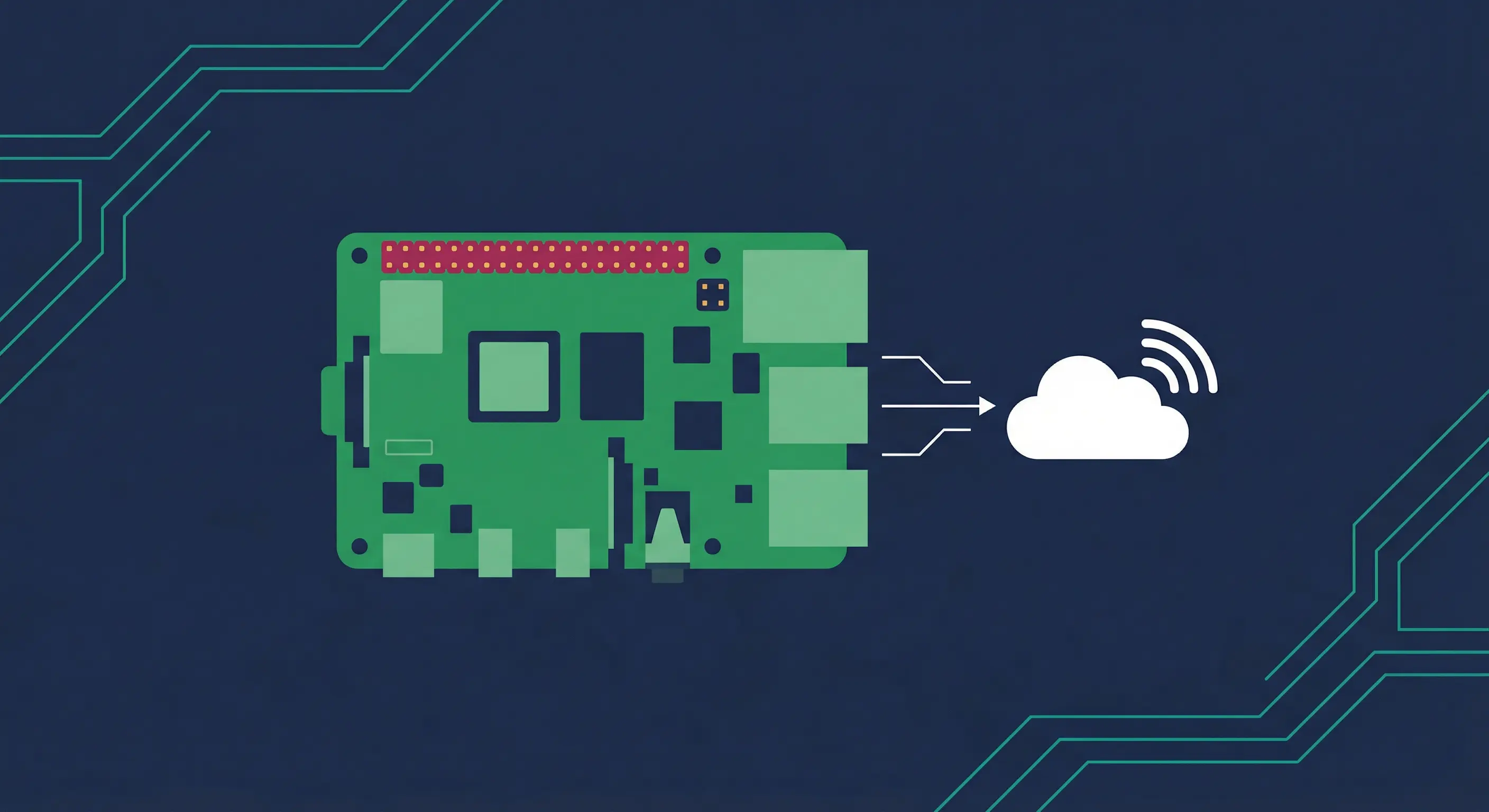
OpenClaw is a gateway, not an inference engine. It relays your messages to a cloud API provider and returns the response. The Pi only handles routing, channel connections, and session state. The actual AI work happens on Anthropic's or OpenAI's servers.
This means performance on the Pi is mostly about I/O, not compute. A Pi 4 handles this fine.
What you'll actually notice:
The first CLI invocation after boot is slow (sometimes 10-20 seconds) because Node.js compiles the module cache cold. After that, it's fast. Response latency comes from the API provider, not the Pi. Multiple simultaneous conversations work, but they do use more memory.
Speed up cold starts by enabling the module compile cache:
echo 'export NODE_COMPILE_CACHE=/var/tmp/openclaw-compile-cache' >> ~/.bashrc
echo 'export OPENCLAW_NO_RESPAWN=1' >> ~/.bashrc
mkdir -p /var/tmp/openclaw-compile-cache
source ~/.bashrc
Check if the Pi is throttling due to heat or underpowering:
vcgencmd get_throttled0x0 means no throttling. Any other value means your Pi is reducing clock speed. Check cooling and the power supply if you see a non-zero result.
Memory limits and swap
Headless Raspberry Pi OS 64-bit uses roughly 196MB of RAM at idle (Phoronix benchmarks). The OpenClaw gateway process adds to that, using roughly 100-200MB more at idle based on real-world testing. On a 1GB board, that doesn't leave much room for other processes.
Without swap, the Linux OOM killer will terminate the gateway when memory gets tight. That's the crash-and-restart scenario you want to avoid.
The 2GB swap file added during setup is the safety net. With swappiness at 10, the kernel keeps data in RAM as much as possible and only hits swap when truly necessary.
Additional tricks for low-RAM boards:
Free up roughly 48MB of RAM reserved for the GPU (useless on a headless server):
echo 'gpu_mem=16' | sudo tee -a /boot/firmware/config.txt
sudo reboot
Disable services you don't need:
sudo systemctl disable bluetooth
sudo systemctl disable avahi-daemon
sudo systemctl disable cups
Each disabled service frees a few MB. It adds up on a 1GB board.
OpenClaw Raspberry Pi power consumption and running costs
A Pi 4 draws roughly 2.9W at idle and up to 6.4W under sustained load, based on independent hardware testing. The Pi 5 draws about 2.7W at idle and up to 7W under stress, as measured against the official 27W power supply spec.
At $0.15/kWh (average US rate), running a Pi 4 24/7 costs about $0.40-$0.60 per month in electricity. The Pi 5 comes in around $0.50-$0.90 per month.
Compare that to the cheapest cloud VPS options, which typically run $4-12 per month. After the hardware pays for itself (12-18 months depending on the model you buy), the Pi is cheaper to operate.
One honest note: Raspberry Pi hardware prices are not stable right now. The February 2026 price increases were the second round in three months. The Pi Foundation has said prices should drop once the DRAM shortage eases, but "when" is uncertain.
OpenClaw Raspberry Pi limitations you should know
These aren't reasons to avoid the Pi. They're things to plan for.
Local LLM inference won't work. Even on a Pi 5 8GB, the hardware lacks enough compute to run a useful model at a reasonable speed. This is a straightforward hardware limitation: an ARM Cortex-A76 cluster cannot compete with dedicated GPU inference hardware. Use a cloud API instead.
WiFi is unreliable for 24/7 operation. Power management on the Pi's WiFi adapter causes connections to drop. The fix is simple:
sudo iwconfig wlan0 power offAdd that to /etc/rc.local or a systemd service to make it persistent. Better yet, use Ethernet.
ARM binary issues with some skills. If a skill runs a native binary that doesn't have an ARM64 build, you'll see an "exec format error." Run uname -m to confirm you're on aarch64. Most modern tools have ARM64 builds, but older or less-maintained ones don't.
SD card wear is real. OpenClaw writes logs and session state. On an SD card, this causes wear over months. A USB SSD is more durable and faster. Budget $15-30 for a small SSD if you want this to run for a year or more.
Troubleshooting OpenClaw on Raspberry Pi
Out of memory / gateway keeps crashing: Check that swap is active with free -h. If swapfile shows 0, run the swap setup steps again. Disable unused services (Bluetooth, Avahi, CUPS).
Service won't start: Read the actual error first:
journalctl -u openclaw --no-pager -n 100Then run the built-in diagnostics:
openclaw doctor --non-interactivePerformance is sluggish: Check for CPU throttling with vcgencmd get_throttled. If the result isn't 0x0, check your power supply and cooling. Also verify you're running from an SSD, not an SD card.
ARM binary error (exec format error): This means a tool or skill is trying to run an x86 binary. Check uname -m returns aarch64. If a specific skill is broken, check whether the skill's underlying tool has an ARM64 release.
WiFi disconnects: Run sudo iwconfig wlan0 power off and confirm the WiFi adapter stops dropping. Make this permanent by adding it to your boot sequence.
Node.js not found after install: The install script modifies PATH in your shell config. Run source ~/.bashrc or log out and back in.
Key terms
Gateway: The OpenClaw process that bridges your chat apps to the AI provider. It's the only thing running on the Pi. Inference happens in the cloud.
aarch64: The 64-bit ARM instruction set. This is what "64-bit Raspberry Pi OS" uses. OpenClaw's Node.js binaries require it.
Swap: Disk space used as overflow when RAM is full. Slower than RAM but prevents OOM crashes on low-memory boards.
systemd: Linux's service manager. OpenClaw's daemon integrates with it, so systemctl start/stop/restart openclaw works like any other Linux service.
NODE_COMPILE_CACHE: An environment variable that tells Node.js to cache compiled module bytecode. Dramatically reduces cold-start time on repeat invocations.
Headless: A Pi setup with no monitor, keyboard, or desktop environment. SSH-only. Raspberry Pi OS Lite is headless by default.
FAQ
Can OpenClaw run on a Raspberry Pi 4 with 1GB RAM?
Yes, but it requires a 2GB swap file and careful tuning. Configure swap with sudo fallocate -l 2G /swapfile and set swappiness to 10. Also free GPU memory with gpu_mem=16 in /boot/firmware/config.txt. Without these, the gateway process can be killed by the OOM killer under load. The official OpenClaw Pi docs recommend 2GB+ RAM, with 4GB preferred, so the 1GB option is workable but not the recommended path.
Can OpenClaw use local LLM models on Raspberry Pi?
Not practically. OpenClaw routes messages to a model provider via API and AI inference happens in the cloud. You can technically point it at a local Ollama endpoint, but Pi hardware doesn't have enough compute to run a useful model at a reasonable speed. API providers like OpenRouter work reliably and are the recommended path.
How do I access the OpenClaw dashboard from another device?
Use an SSH tunnel. On your laptop, run ssh -N -L 18789:127.0.0.1:18789 user@your-pi-hostname, then open http://127.0.0.1:18789 in your browser. For always-on remote access without a tunnel, install Tailscale on both the Pi and your device. The OpenClaw Tailscale integration at docs.openclaw.ai/gateway/tailscale explains the full setup.
Will 32-bit Raspberry Pi OS work with OpenClaw?
No. OpenClaw requires a 64-bit operating system. The 32-bit Raspberry Pi OS doesn't support the Node.js binaries that OpenClaw depends on. Always use Raspberry Pi OS Lite (64-bit) and verify with uname -m after booting, which should return aarch64. If you're upgrading an older Pi OS installation, it's cleanest to reflash rather than try to convert in place.
How much does it cost per month to run OpenClaw on a Raspberry Pi?
At typical US electricity rates ($0.15/kWh), a Pi 4 running 24/7 costs roughly $0.40-$0.60 per month in electricity. The Pi 5 costs slightly more, around $0.50-$0.90. Hardware cost amortization is separate. A Pi 4 2GB at $45 plus a small USB SSD ($20) pays for itself versus a $5/month VPS in about 13 months. Actual costs vary by region and electricity rates.
Changelog
Sources: Pricing verified against official Raspberry Pi Foundation announcements from December 2025 and February 2026. Power draw figures from raspi.tv hardware benchmarks and the official Raspberry Pi 27W power supply page. OS memory baseline from Phoronix 64-bit OS review. Setup steps verified against docs.openclaw.ai/platforms/raspberry-pi.
| Date | Change |
|---|---|
| 2026-03-23 | Initial publication |
Related resources
Fixes when it breaks. Workflows when it doesn't.
OpenClaw guides, configs, and troubleshooting notes. Every two weeks.