Best Chat App for OpenClaw: Telegram, Discord, or Slack?
OpenClaw was previously known as Clawdbot and Moltbot. This guide applies to all versions.
Best chat app for OpenClaw compared: Telegram wins for most users, Discord for power users, Slack for teams. Here is how to pick the right one.
Key takeaways
- Telegram is the best first channel for most users: official API, no public IP needed, five-minute setup
- Discord wins for power users who want interactive UI components, threads, and multi-agent workflows
- Slack is the right pick if your team is already on Slack and you don't want to move them
- Signal gives you end-to-end encryption but has the hardest setup of any major channel
- WhatsApp works if you're mobile-first and already on it, but it uses an unofficial library that can break
Always review commands your agent suggests before approving them. Don't paste prompts from sources you don't trust.
Fixes when it breaks. Workflows when it doesn't.
OpenClaw guides, configs, and troubleshooting notes. Every two weeks.
Which OpenClaw channel is right for you?
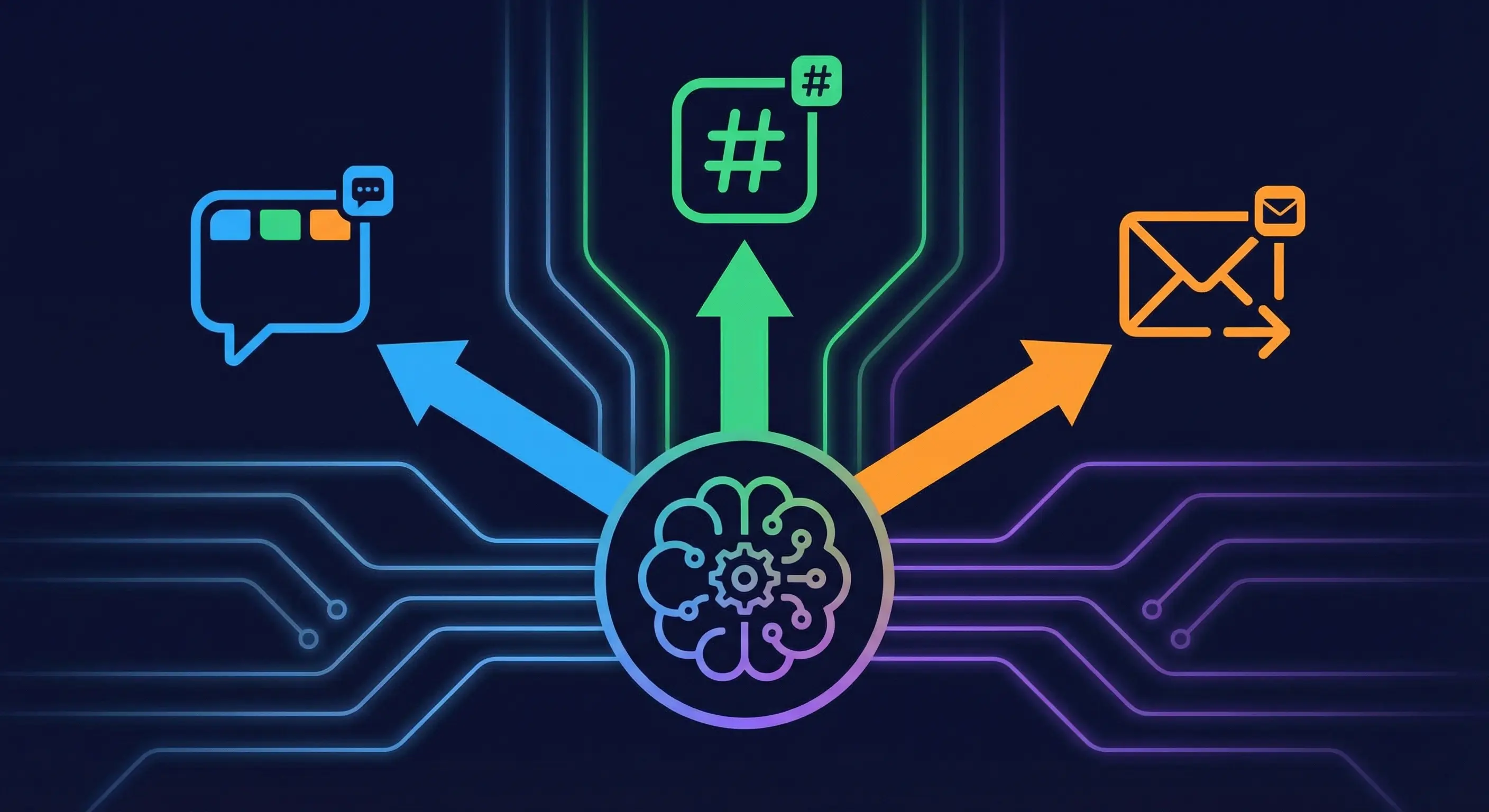
OpenClaw (previously known as Clawdbot and Moltbot) connects to Telegram, Discord, Slack, Signal, WhatsApp, and several other platforms through a single gateway process. Each channel has different setup difficulty, stability, and feature support. The table below maps common situations to the channel that fits best.
| Use case | Best channel | Why |
|---|---|---|
| Solo user, first install | Telegram | Easiest setup, most stable, official API |
| Power user, complex workflows | Discord | Buttons, threads, multi-agent routing |
| Team already on Slack | Slack | Don't move your team for this |
| Privacy-first deployment | Signal | End-to-end encryption, but hard setup |
| Mobile-first, already have WhatsApp | Works, with caveats | |
| Corporate Asia/China deployment | Feishu | Only real option for that context |
If none of those jump out at you, pick Telegram. It's the path most people take and rarely regret.
For running multiple channels at once (say, Telegram for personal use and Discord for a team), see OpenClaw multi-agent and multi-channel setup guide.
Telegram: why most people start here
Telegram is the fastest, most stable path to a working OpenClaw setup. It uses the official Telegram Bot API via grammY, runs on long-polling by default, and doesn't need a public IP address or a webhook server. Setup takes about five minutes: create a bot via /newbot in BotFather, get your token, add it to openclaw.json, and start the gateway.
There's no openclaw channels login step for Telegram. The token goes directly into your config. That's one less thing to mess up.
Stability ratings put Telegram at the top tier alongside Discord and Slack. It doesn't use an unofficial library, it doesn't need a QR scan to link, and it doesn't require a separate phone number. For a solo developer running OpenClaw on a VPS, Telegram removes all the friction that other channels add.
One thing to know: if you're using allowFrom restrictions, pairing codes expire after one hour. Set that up before you walk away.
Full setup: OpenClaw Telegram Setup Guide. Common errors: Fix OpenClaw Telegram Errors.
Discord: best chat app for OpenClaw power users
Discord is better than Telegram if you want interactive UI components and more structured workflows. It's not easier to set up. It's harder. But the payoff is real.
Discord gives OpenClaw capabilities that Telegram doesn't have: native buttons, dropdowns, forms, threads, and presence status. This matters for multi-agent workflows where you want clickable controls rather than typed commands, or where you're routing tasks across multiple agents and need thread-based organization. Community feedback on X has been direct: users running multi-agent setups generally prefer Discord.
Setup requires more steps than Telegram. You'll need to create an application in the Discord Developer Portal, activate the Message Content Intent under Privileged Gateway Intents, get your bot token, and grab your Server ID and Channel ID with Developer Mode enabled in Discord settings. Then add the bot to your server via OAuth2. That's probably 20-30 minutes, not five.
Once it's running, it's solid. Full setup: OpenClaw Discord Setup Guide. If the bot goes quiet: Fix OpenClaw Discord Bot Not Responding.
Slack setup for OpenClaw: Socket Mode and token requirements
Slack works well if your team is already there. It's the most configuration-heavy of the three main options, but if Slack is where your team operates, that overhead is worth it.
OpenClaw connects to Slack via Socket Mode by default. You'll need two tokens: an App Token (xapp-) and a Bot Token (xoxb-). The App Token is what enables Socket Mode. The Bot Token is what the gateway uses to interact with your workspace. You also have to subscribe to several bot events during app configuration. Miss any, and messages won't arrive.
The one Slack gotcha that trips people up: every time you change permissions in your Slack app configuration, you have to click "Reinstall to Workspace." If you skip that step, the permission changes don't take effect and the bot keeps behaving as if you changed nothing.
If your team isn't on Slack, there's no reason to add that complexity when Telegram is simpler. But if they are on Slack, connecting OpenClaw there means everyone already knows where to find it.
Full setup: OpenClaw Slack Setup Guide. Common errors: Fix OpenClaw Slack Errors.
Signal for OpenClaw: privacy trade-offs and setup difficulty
Signal gives you end-to-end encrypted messaging between you and your agent. That's the real reason to pick it. If you're routing sensitive outputs through OpenClaw (financial data, health information, anything you'd be uncomfortable having on Telegram's servers), Signal is the right call.
The trade-off is setup. Signal requires signal-cli and a dedicated phone number. That's not a five-minute install. It's a process. Group support is also more limited than Telegram or Discord.
Community stability ratings put Signal at one star versus three for Telegram, Discord, and Slack. It works, but it's more fragile. Updates to Signal's protocol can require updates to signal-cli before things run again.
If you don't have a specific reason to use Signal, don't. Use it when privacy matters more than convenience.
Full setup: OpenClaw Signal Setup Guide. Common errors: Fix OpenClaw Signal Errors.
WhatsApp and OpenClaw: unofficial library, real-world trade-offs
WhatsApp is a reasonable choice for mobile-first users who already have it and don't want to install another app. It's production-ready and supports both DMs and groups.
The important thing to know: OpenClaw's WhatsApp integration uses Baileys, an unofficial library that implements the WhatsApp Web protocol. This is not an official API. When WhatsApp updates their protocol, Baileys may break and need a patch before your connection works again. That's a real risk if you're building something that needs to stay up.
Setup uses openclaw channels login --channel whatsapp, which launches a QR code scan on first run. You link it the same way you'd link WhatsApp Web to a browser. A separate phone number is strongly recommended. You don't want your personal WhatsApp number receiving agent messages or potentially getting flagged by WhatsApp's anti-bot systems.
Community stability ratings put WhatsApp at two stars. It works for personal use and low-stakes setups. For anything critical, Telegram is more stable.
Full setup: OpenClaw WhatsApp Setup Guide. Common errors: Fix OpenClaw WhatsApp Errors.
Other OpenClaw channels: Feishu, iMessage, Google Chat, IRC, Matrix
A few other platforms worth knowing about for specific situations:
Feishu: The right choice for corporate deployments in China or Asia-Pacific where Feishu is the internal standard. OpenClaw has a dedicated setup guide: OpenClaw Feishu Setup Guide.
iMessage: Works through the BlueBubbles integration, but requires a Mac running 24/7. That's impractical for server deployments. Fine if you have a dedicated Mac mini and want iMessage specifically.
Google Chat: Good for Google Workspace organizations. If your team runs on Google tools, this keeps everything in the same ecosystem. Setup guide: OpenClaw Google Chat Setup. Common errors: Fix OpenClaw Google Chat Errors.
IRC: The simplest authentication model of any channel. Niche use case. You probably know if you want it. Setup guide: Connect OpenClaw to IRC.
Microsoft Teams: Requires Azure app registration. Corporate-heavy setup. Only reason to choose it is if Teams is mandatory in your organization.
Matrix: Self-hosted messaging option for organizations running their own Matrix homeserver. No dedicated SJ setup guide yet.
OpenClaw channel comparison table
| Platform | Setup difficulty | Stability | Group support | Voice notes | Best for |
|---|---|---|---|---|---|
| Telegram | Easy | ⭐⭐⭐ | Strong | Yes | Most users, first install |
| Discord | Medium | ⭐⭐⭐ | Strong (threads) | No | Power users, multi-agent |
| Slack | Medium-high | ⭐⭐⭐ | Good | No | Teams already on Slack |
| Medium | ⭐⭐ | Good | Yes | Mobile-first users | |
| Signal | Hard | ⭐ | Limited | No | Privacy-first deployments |
Stability ratings based on OpenClaw Cheatsheet channel overview, version 2026.3.13.
Running multiple OpenClaw channels at once
You can run Telegram, Discord, Slack, and any other connected channel simultaneously. One gateway process handles all of them. OpenClaw's multi-channel architecture routes messages from different platforms into the same session store, so context is shared across channels.
A practical setup: Telegram for personal messages on your phone, Discord for team workflows. Both connect to the same agent. Your agent sees messages from both.
If you want to add a second channel without losing your first, you just add the new channel config to openclaw.json and restart the gateway. No migration needed.
See How to Run Multiple OpenClaw Agents on a Single Server for the full setup.
Key terms
Telegram Bot API: The official API provided by Telegram for building bots. OpenClaw uses this via the grammY framework, which handles long-polling by default. No public IP required.
Socket Mode (Slack): A Slack connection method that uses a persistent WebSocket connection instead of HTTP webhooks. This is how OpenClaw connects to Slack by default, which means no public-facing URL is needed.
Baileys: An unofficial open-source Node.js library that implements the WhatsApp Web protocol. OpenClaw uses Baileys for its WhatsApp integration. Because it's unofficial, it can break when WhatsApp updates their protocol.
Message Content Intent (Discord): A privileged gateway intent in Discord that must be manually activated in the Developer Portal. Without it, your bot can see that messages were sent but cannot read their content.
grammY: The Telegram bot framework that OpenClaw's Telegram integration is built on. Handles long-polling, session management, and message routing.
FAQ
Can I run OpenClaw on multiple chat apps at the same time?
Yes. OpenClaw's gateway handles multiple channels simultaneously. One gateway process receives messages from all connected platforms and routes them into a shared session store. You can run Telegram, Discord, and Slack at the same time without any conflict. Each platform just needs its own configuration block in openclaw.json. This is one of OpenClaw's core design features: the gateway is a single process that manages all channel connections from one place.
Can I switch from Telegram to Discord later without losing context?
Yes. Your session context and memory aren't tied to any specific channel. They live in OpenClaw's session store, which is independent of how you connect to it. You can connect Discord at any time, then stop using Telegram, and your agent's history and memory carry over. You can also run both simultaneously and switch between them without any data loss.
Which OpenClaw channel has the best group support for teams?
Telegram and Discord both handle group use well. Discord is better for structured team workflows because it supports threads, multiple channels in a server, and role-based access. Telegram supergroups are simpler but work well for small teams. WhatsApp supports groups but the unofficial Baileys library makes it less reliable for anything mission-critical. Signal's group support is the most limited of the main options.
Does OpenClaw support voice calls on Telegram or Discord?
OpenClaw has a voice call plugin that routes through Twilio, which operates separately from the messaging channel. Telegram supports incoming voice notes natively. Neither Telegram nor Discord provide a real-time voice call interface to the agent through the standard channel integration. For voice-triggered agent interactions, the voice-call plugin is the path to use.
Evidence & Methodology
Sources used in this article:
- docs.openclaw.ai/channels/telegram: Official OpenClaw Telegram integration documentation. Used for: API method (grammY), setup steps, no-login-required behavior, pairing code expiry.
- docs.openclaw.ai/channels/slack: Official OpenClaw Slack integration documentation. Used for: Socket Mode, App Token + Bot Token requirements, bot event subscriptions.
- docs.openclaw.ai/channels/whatsapp: Official OpenClaw WhatsApp integration documentation. Used for: Baileys library, QR scan login, separate number recommendation.
- openclawcheatsheet.com/guides/channels: Community reference (version 2026.3.13). Used for: stability star ratings, setup difficulty classifications, iMessage Mac requirement.
- discord.com/developers/docs: Official Discord developer documentation. Used for: Message Content Intent, Developer Portal setup requirements.
- grammy.dev: Official grammY documentation. Used for: long-polling default, no public IP requirement.
- Community data from r/clawdbot and X posts used for sentiment/consensus framing. Not linked. Treated as corroboration of sourced claims.
No competitor blogs are linked in this article. All claims traced to official docs, primary sources, or stated as community consensus.
Related resources
- OpenClaw Telegram Setup Guide
- OpenClaw Discord Setup Guide
- OpenClaw Slack Setup Guide
- OpenClaw Signal Setup Guide
- OpenClaw WhatsApp Setup Guide
- OpenClaw Feishu Setup Guide
- OpenClaw Google Chat Setup Guide
- How to Run Multiple OpenClaw Agents on a Single Server
- OpenClaw Troubleshooting: Fix Gateway, Pairing, and Channel Errors
Changelog
| Date | Change |
|---|---|
| 2026-03-21 | Initial publication |
Fixes when it breaks. Workflows when it doesn't.
OpenClaw guides, configs, and troubleshooting notes. Every two weeks.