Fix OpenClaw Telegram allowFrom: User ID vs Username
OpenClaw was previously known as Clawdbot and Moltbot. This guide applies to all versions.
Fix OpenClaw Telegram allowFrom errors by using numeric user IDs instead of usernames. Covers getting your ID, config format, and adding multiple users.
Key takeaways
- OpenClaw's
allowFromrequires numeric Telegram user IDs, not @usernames. Using a username causes silent message drops with no error. - Get your user ID by messaging @userinfobot on Telegram. It replies instantly with your numeric ID.
- IDs must be quoted strings in JSON.
123456789without quotes causes a parse error."123456789"works. - If the bot starts fine but ignores your messages, check the logs for
drop dm (not in allowlist). That confirms an allowFrom mismatch.
Your OpenClaw Telegram bot starts without errors but ignores your messages. The logs show it receiving messages, but it never replies. The most common cause is an allowFrom misconfiguration where you used a @username instead of a numeric user ID.
Always review commands your agent suggests before approving them. Don't paste prompts from sources you don't trust.
Fixes when it breaks. Workflows when it doesn't.
OpenClaw guides, configs, and troubleshooting notes. Every two weeks.
Why OpenClaw Telegram allowFrom rejects usernames
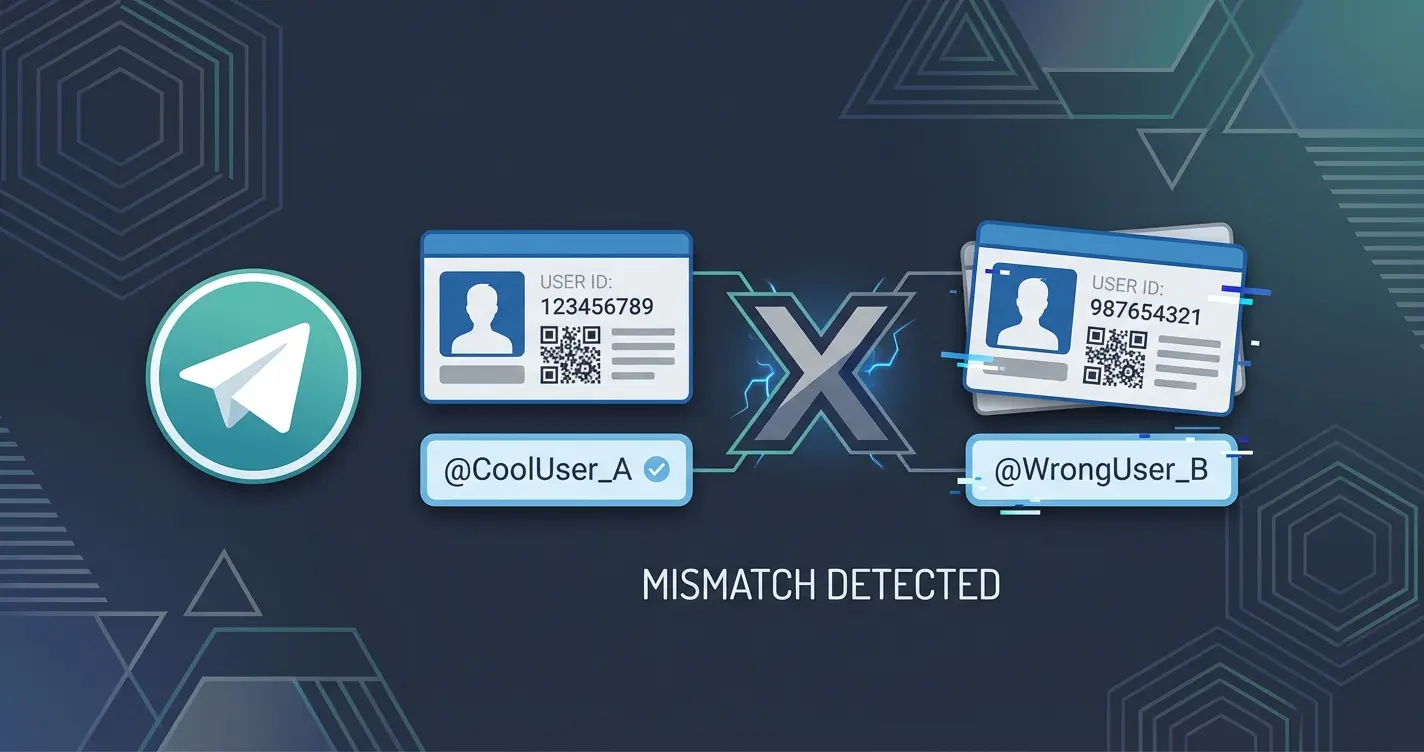
OpenClaw's allowFrom rejects @usernames because Telegram bot API cannot reliably resolve them to user IDs. Telegram identifies every user two ways:
- Username:
@jerry(optional, changeable, not unique over time) - User ID:
123456789(permanent, assigned at account creation, never changes)
OpenClaw's allowFrom field expects numeric user IDs. If you put "@jerry" in the array, OpenClaw attempts to resolve it to a numeric ID when the gateway starts. This resolution can fail if:
- The username is misspelled
- The user changed their username since you added it
- The bot has never interacted with that user before (Telegram bots cannot look up arbitrary usernames)
When resolution fails, the bot silently drops all messages from that user. No error in the logs at startup. The only clue is the drop dm (not in allowlist) line when a message comes in.
How to get your Telegram user ID
Send /start to @userinfobot on Telegram. It replies with your numeric user ID immediately.
Or check the OpenClaw logs while you send a message:
openclaw logs --followSend any message to your bot. The logs show:
Received message from user 123456789 (@jerry)
That number before the parenthetical is your user ID.
Fix OpenClaw Telegram allowFrom config
Edit ~/.openclaw/config/config.json:
{
  "channels": {
    "telegram": {
      "accounts": {
        "default": {
          "token": "your_token_here",
          "allowFrom": ["123456789"]
        }
      }
    }
  }
}
Use the numeric ID, not the @username. Restart the gateway:
openclaw gateway restartCommon OpenClaw allowFrom mistakes
| What you typed | What happens | Fix |
|---|---|---|
"@jerry" | May resolve at startup, may silently fail | Use "123456789" |
"jerry" | Not recognized at all | Use "123456789" |
123456789 (no quotes) | JSON parse error, gateway won't start | Wrap in quotes: "123456789" |
"-1001234567890" | That's a group ID, not a user ID | Use your personal user ID |
"" (empty string) | Matches nothing | Remove the empty entry |
Add multiple users to OpenClaw Telegram allowFrom
Each person needs to send /start to @userinfobot and give you their numeric ID. Then add every ID to the array:
"allowFrom": ["123456789", "987654321", "555666777"]Restart the gateway after saving. Each user in the list can now interact with your bot.
Verify OpenClaw Telegram allowFrom is working
Look for drop dm (not in allowlist) or a successful response in the logs. After updating the config and restarting, send a message to your bot:
openclaw logs --followIf you see drop dm (not in allowlist) followed by your user ID, the ID in your config still does not match. Copy the exact ID from the log line into your allowFrom array. Sometimes IDs have more or fewer digits than expected.
If you see Received message from user 123456789 followed by a response being generated, allowFrom is configured correctly.
OpenClaw allowFrom vs group chat pairing
The allowFrom setting controls who can use the bot in DMs. For group chats, the pairing system handles access control separately. A user can be in allowFrom for DMs but still need a separate pairing approval for each group they share with the bot. If your bot works in DMs but not in a group, the issue is pairing, not allowFrom.
FAQ
Can I use both @usernames and numeric user IDs in OpenClaw's Telegram allowFrom?
Technically yes. OpenClaw attempts to resolve @usernames to numeric IDs at startup. But resolution is unreliable and can fail silently if the bot has never interacted with that user. Always use numeric user IDs in your allowFrom array.
What happens if I leave OpenClaw's Telegram allowFrom empty or remove it?
Behavior depends on your OpenClaw version. In most configurations, removing allowFrom means the bot accepts DMs from anyone who has an approved pairing. Check the security hardening playbook before opening access.
Can a Telegram user ID change?
No. Telegram assigns user IDs permanently at account creation. They never change. If your OpenClaw bot stopped responding, the issue is elsewhere: check that your config wasn't overwritten by a sync or accidental edit.
Do I need OpenClaw's allowFrom if I already use autoApprove?
They serve different purposes. allowFrom controls which Telegram users can send messages to your OpenClaw bot in DMs. autoApprove controls whether pairing requests are automatically accepted. You typically want both: allowFrom with your user ID, and autoApprove: true so DMs and group pairings get approved without manual intervention. See the pairing guide for the full autoApprove config.
Changelog
- 2026-03-06: Created (split from fix-openclaw-telegram-errors, merged "allowFrom numeric sender ID" and "Telegram allowFrom Configuration" sections)
Fixes when it breaks. Workflows when it doesn't.
OpenClaw guides, configs, and troubleshooting notes. Every two weeks.